AI News
18 Nov 2025
Read 17 min
Google AI travel planning guide: How to plan faster
Google AI travel planning guide helps you build itineraries, find deals and book faster seamlessly.
Use this Google AI travel planning guide to plan faster and save money. It shows how Canvas in AI Mode builds day-by-day plans, how Flight Deals finds cheap routes worldwide, and how agentic booking helps you reserve restaurants and tickets. Follow the steps below to turn a few prompts into a full trip plan.
Planning holiday trips can feel like a chore. Flights change. Hotel prices move. Your group wants different things. Google’s latest AI upgrades in Search take on the hard work. You describe your trip. AI Mode pulls in live flight and hotel info, maps data, reviews, and booking links. You refine the plan with simple follow-up prompts. When you take a break, your progress stays in your AI Mode history. The result: less tab-hopping, more clear choices, and an itinerary that actually fits your time and budget.
Live flight and hotel options from Search
Photos, ratings, and reviews from Google Maps
Ideas from trusted sites across the web
You also see tradeoffs. Maybe one hotel is cheaper but farther from the beach. Maybe another is closer to food spots but costs more. Ask follow-up questions in plain language. Canvas updates the plan and keeps your notes. You can step away and return any time through AI Mode history. Today, Canvas trip planning is available on desktop in the U.S. for people opted into the AI Mode experiment in Labs.
“Plan a 4-day family trip to Chicago in April. Budget hotel near museums. One kid-friendly activity per day. Good pizza and brunch.”
“Design a 5-night Bali trip in June under $1,200 for flights and hotel. Focus on beaches and easy hikes. Avoid long drives.”
“Swap day 2 and day 3 so we do the hike on a cooler day.”
“Show hotels with free breakfast and a pool under $180 per night.”
“Cut activities with over 45 minutes of travel time.”
“Add an early dinner near the theater with vegetarian options.”
Canvas updates the plan and keeps your history. You can always go back to a past version.
Price vs. location: “Show a side-by-side of hotels under $160 within a 10-minute walk of the train.”
Convenience vs. variety: “Limit day 1 to one neighborhood to reduce transit time.”
Time vs. mood: “Move the long museum visit after lunch to avoid lines.”
“3–5 day trip in March from Toronto, warm weather, total flight under $350.”
“Weekend getaway in Europe from Paris in May, nonstop flights, early morning departure.”
“August beach trip from Tokyo, family of four, prefer one checked bag included.”
Flight Deals then shows route ideas that match the plan, not just a single city. You can open results in Google Flights to drill down on carriers, times, and layovers.
Be flexible: Watch nearby airports and midweek departures.
Book smart: Short trips cost less when you avoid peak Friday night and Sunday night flights.
Use existing tools: In Google Flights, turn on price tracking for your route and dates to catch drops.
“Book a table for 4 in Austin, Saturday 7–9 pm, patio seating, under $40 per person, vegetarian-friendly.”
“Find two tickets for Friday’s home game, lower bowl, budget $120 each.”
“Schedule a 60-minute deep-tissue massage in Brooklyn on Sunday afternoon.”
AI Mode compiles a clear list with direct links to complete the booking with partners like OpenTable, Resy, Tock, Ticketmaster, StubHub, SeatGeek, Vivid Seats, Booksy, Fresha, and Vagaro. You keep control of the final step and see the exact terms before you pay.
Review fees, cancellation windows, and seat or table location.
Confirm the name on the booking matches your ID.
Add the reservation to your calendar and share it with your group.
“Plan a 3-day trip to Lisbon in March. Budget hotel under €150 per night. Two cafe stops per day. Focus on walkable sights.”
Scan the suggested flights and hotels.
Check the daily plan for travel time between stops.
Flag anything that feels rushed.
“Only show hotels in Baixa or Chiado with Wi‑Fi and breakfast included.”
“Cut activities that take more than 30 minutes to reach.”
“Add a pastel de nata bakery near stop 2 on day 1.”
“Move the viewpoint to sunrise. Shift the market visit to late morning.”
“Schedule the longest walk for the coolest hours.”
Use agentic booking to find a Saturday dinner at 7 pm with outdoor seating.
Book weekend museum tickets if time slots sell out.
“Show the total walking time each day.”
“Swap one paid tour for a free landmark.”
“Keep one flexible slot each afternoon.”
Hotels: “free breakfast,” “near transit,” “quiet room,” “pool,” or “gym.”
Flights: “nonstop,” “early arrival,” “one carry-on included.”
Canvas trip planning: On desktop in the U.S. for users opted into the AI Mode experiment in Labs.
Flight Deals: Rolling out to 200+ countries and territories, with support for 60+ languages, including the U.K., France, Germany, Mexico, Brazil, Indonesia, Japan, and Korea.
Agentic booking for restaurants: Rolling out on AI Mode in the U.S.; no Labs opt-in required.
Agentic booking for event tickets and local appointments: Available to all U.S. Labs users.
Agentic booking for flights and hotels: Coming soon; built with travel partners like Booking.com, Choice Hotels International, Expedia, IHG Hotels & Resorts, Marriott International, and Wyndham Hotels & Resorts.
Google AI travel planning guide: What’s new and why it matters
Google added three big updates that shape how you plan and book:1) Canvas in AI Mode turns prompts into plans
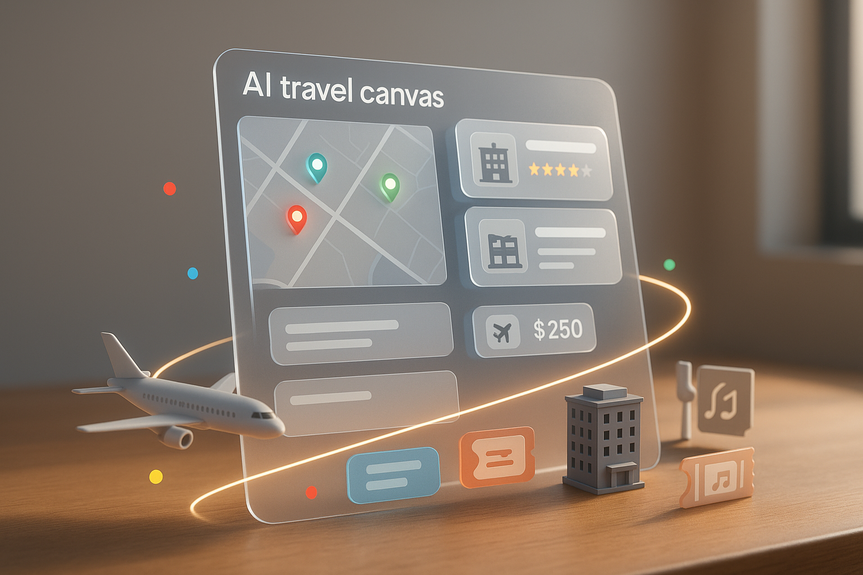
You can now use Canvas in AI Mode to build and organize trip ideas over time. Tell it the type of trip you want and what you care about. Then select “Create Canvas.” A plan appears in a side panel. It pulls in:2) Flight Deals goes global with AI-powered search
Flight Deals inside Google Flights is now rolling out to more than 200 countries and territories, with support for 60+ languages. It helps flexible travelers who want the best fare to a range of destinations. Talk to it like a friend. Say “Spring trip from Berlin for under €200, 4–6 days, warm weather.” It understands your intent and shows low-cost options. This saves time over clicking through country and date filters. You start broad, then narrow down.3) Agentic booking handles reservations for you
AI Mode now helps you book restaurants, event tickets, and local appointments. Share all your needs and preferences in your prompt. AI Mode scans multiple reservation sites for real-time availability. It returns a curated list that matches your criteria with direct links to complete the booking. Launch partners include OpenTable, Resy, Tock, Ticketmaster, StubHub, SeatGeek, Vivid Seats, Booksy, Fresha, and Vagaro. Restaurant booking is rolling out on AI Mode in the U.S., with no Labs opt-in needed. Agentic booking for event tickets and local appointments is available to all U.S. Labs users. In the near future, you will also be able to book flights and hotels directly within AI Mode. Google is working with Booking.com, Choice Hotels International, Expedia, IHG Hotels & Resorts, Marriott International, and Wyndham Hotels & Resorts to power this experience. You will be able to compare schedules, prices, room photos, amenities, and reviews in one flow, then finish the booking with the partner you choose.How to use Canvas in AI Mode to plan a better trip
Start with a clear prompt
Tell AI Mode what you want, in one or two sentences. Be specific about dates, trip length, city, budget, interests, and must-haves. Examples:Open “Create Canvas” and scan the first draft
Your Canvas shows flights, hotel options, and daily ideas. You see travel times on a map and highlights like ratings, amenities, and prices. Skim the plan and note gaps.Refine with short follow-ups
Ask simple questions to improve the plan:Compare tradeoffs like a pro
Every trip has tradeoffs. Use Canvas to make smart choices:Find better fares with Flight Deals
Flight Deals shines when you are flexible on destination or dates. It uses AI to parse your goal and deliver actual bargains fast.Good prompts to try
Save money with simple habits
Agentic booking in AI Mode: Reserve in fewer steps
Booking can take longer than planning. AI Mode reduces the clicks by searching across partners and showing live availability that fits your needs.Make your prompt count
Include the key filters in one message:Practical checks before you confirm
Coming soon: Booking flights and hotels inside AI Mode
Google is building a flow that lets you compare and finish bookings for flights and hotels directly within AI Mode. You will be able to browse schedules, prices, photos, amenities, and reviews, ask follow-up questions, and then check out with a partner like Booking.com, Choice Hotels International, Expedia, IHG Hotels & Resorts, Marriott International, or Wyndham Hotels & Resorts. This will reduce friction and keep your research and checkout in one place.Step-by-step: Plan a 3-day city break with AI Mode
Use this quick path to turn a simple idea into a weekend plan.Step 1: Tell AI Mode your goal
Step 2: Create Canvas and review
Step 3: Tighten your filters
Step 4: Optimize by time of day
Step 5: Lock in key reservations
Step 6: Final pass for budget and energy
Tips to get the most from AI trip planning
Write prompts like you text a friend
Short, direct instructions work best. State dates, city, budget, interests, and deal-breakers in one or two lines.Favor proximity to cut transit time
Ask Canvas to group activities by neighborhood. This keeps your day smooth and lowers costs.Use time-saving filters early
Balance plans with breaks
Add open blocks for rest or weather changes. Ask AI Mode to suggest indoor options for rain or heat.Keep everything in one place
Use Canvas history to track changes. Save key links, confirmations, and notes in the same Canvas so your group sees one source of truth.Availability: What you can use today
How this changes your planning routine
Before, you searched, opened tabs, copied notes, and tried to compare prices by hand. Now, AI Mode collects live info for you, shows tradeoffs, and helps you decide. Flight Deals shortens the hunt for low fares. Agentic booking trims the checkout steps. You still make the final choices. But the path to those choices is shorter and clearer. This is not just about speed. It is about better plans. Canvas reduces backtracking by showing travel time between stops. Maps data anchors ideas in real photos and reviews. Booking links reduce friction. You waste less time and money and spend more time at the places you came to see.Why this Google AI travel planning guide can help you today
You want a practical way to move from idea to itinerary to booking. This Google AI travel planning guide shows the exact steps. Start with a plain-language prompt. Use Canvas to test options and fix tradeoffs. Use Flight Deals to expand affordable choices. Use agentic booking to confirm key reservations fast. Then keep everything in one place so your group stays in sync. In short, these updates remove busywork from trip planning. You get clearer options, better timing, and fewer surprises. Your next trip can start with a prompt and end with a plan you trust—without spending your weekend drowning in tabs. The tools will continue to grow. Booking flights and hotels inside AI Mode is on the way. More partners mean more choice. Until then, the mix of Canvas, Flight Deals, and agentic booking already covers research, selection, and most reservations. Plan smart. Keep your prompts clear. Let AI do the heavy lifting. With that approach, this Google AI travel planning guide helps you book faster, spend less, and enjoy more of your trip.(Source: https://blog.google/products/search/agentic-plans-booking-travel-canvas-ai-mode/)
For more news: Click Here
FAQ
Q: What is the Google AI travel planning guide and what features does it cover?
A: The Google AI travel planning guide explains new Search features—Canvas in AI Mode, Flight Deals, and agentic booking—that help you build itineraries, find lower fares, and reserve restaurants or tickets. It also shows step-by-step prompts and availability notes so you can move from idea to a sharable plan.
Q: How do I use Canvas in AI Mode to build an itinerary?
A: Start with a clear one- or two-sentence prompt describing dates, budget, interests, and must-haves, then choose “Create Canvas” so AI Mode produces a side-panel plan that pulls live flights, hotels, Google Maps photos, reviews, and web suggestions. Ask short follow-up questions to refine tradeoffs and return to earlier versions through your AI Mode history.
Q: Who can use Canvas trip planning and which features are available now?
A: Canvas trip planning is available on desktop in the U.S. for users opted into the AI Mode experiment in Labs. Flight Deals is rolling out to 200+ countries and territories with support for 60+ languages, and agentic restaurant booking is rolling out in the U.S. without a Labs opt-in while agentic event tickets and local appointments are available to U.S. Labs users.
Q: How does Flight Deals work and when should I use it?
A: Flight Deals is an AI-powered tool inside Google Flights where you describe where, when, and how you’d like to travel—like you’re talking to a friend—and it returns bargain route ideas based on that input. It’s best when you’re flexible on destination or dates and is rolling out to more than 200 countries and territories with support for over 60 languages.
Q: What can agentic booking do for my trip reservations?
A: Agentic booking in AI Mode searches multiple reservation platforms for live availability and returns a curated list with direct links so you can finalize bookings for restaurants, event tickets, and local appointments. Restaurant booking is rolling out in the U.S. with no Labs opt-in required, and ticketing and appointment booking are available to U.S. Labs users.
Q: Can I book flights and hotels directly inside AI Mode today?
A: Not yet—Google plans to add in‑flow booking for flights and hotels inside AI Mode in the future and is working with partners like Booking.com, Choice Hotels International, Expedia, IHG Hotels & Resorts, Marriott International and Wyndham Hotels & Resorts to build that experience. The planned flow will let you compare schedules, prices, room photos, amenities, and reviews, then complete the booking with the partner of your choice.
Q: What are good prompt-writing tips when using AI Mode for travel planning?
A: Write short, direct prompts like a text to a friend and include dates, city, budget, interests, and deal-breakers in one or two lines to get clearer results. Use early filters such as “free breakfast” for hotels or “nonstop” for flights and ask follow-ups to refine location, travel time, or activities.
Q: How does Canvas help me compare tradeoffs and keep my trip organized?
A: Canvas shows side-by-side hotel comparisons, travel times on a map, and Google Maps photos and reviews so you can weigh price, location, and convenience when refining a plan. It saves your Canvas history and updates after follow-up prompts so you can return to past versions and keep confirmations and notes in one place.
Contents