AI News
14 Nov 2025
Read 18 min
How beehiiv AI website builder helps you launch faster
beehiiv AI website builder lets creators spin up websites fast using chat, uploads, and templates.
Beehiiv’s latest update helps creators launch full sites fast. With the beehiiv AI website builder, you can chat your way to a branded website, link your newsletter and podcast, and start selling without platform fees. Real-time analytics, templates, and automation reduce setup time so you can focus on content.
If you publish a newsletter, you already know time is your most scarce resource. You juggle content, design, growth, and monetization across different tools. Beehiiv’s new expansion aims to put all of that in one place. The company now offers AI website creation, podcast hosting, digital product sales, paid subscriptions with zero platform fees, real-time analytics, and more. It is a push to give you full control of your audience, your brand, and your revenue.
CEO Tyler Denk framed it in simple terms: ownership matters. You should own your list, your site, your distribution, and your income. The update also comes with scale. Beehiiv says more than 55,000 creators use the platform and have sent over 35 billion emails since 2021. Backed by investors like Lightspeed and NEA, Beehiiv is leaning into a single “create, publish, grow, analyze, monetize” workflow.
Why the beehiiv AI website builder helps you move faster
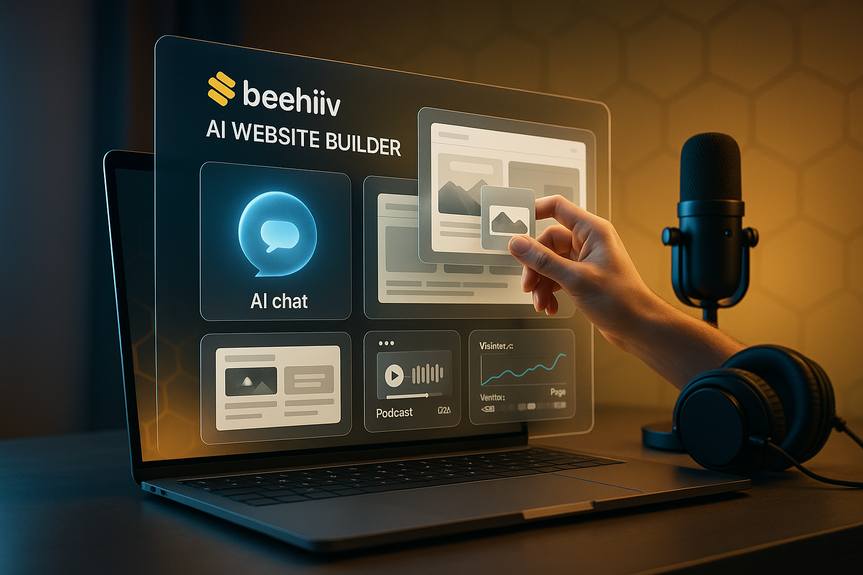
The headline feature is the AI-driven site builder. You do not need code. You do not need a developer. You open a chat, describe your brand, and the system drafts a full site. You can drag and drop images. You can upload screenshots of designs you like, and the AI will mirror the style. Always respect copyright and brand rights, but the speed gain is clear: you get a working site in hours, not weeks. This approach also keeps design and content in the same place as your newsletter. You can reuse headers, colors, and blocks across pages and emails. Templates are clean and professional. You keep a cohesive look without fiddling with plugins or theme conflicts.How the chat flow works
– Tell the AI your brand name, niche, and tone. – Paste a short bio and value proposition. – List the pages you need: Home, About, Newsletter, Podcast, Shop, Contact. – Drop sample images or screenshots to set the visual direction. – Ask for multiple hero variants and call-to-action placements. – Request mobile-first checks and ADA-friendly color contrast. The builder will generate pages, navigation, and a first draft of your copy. You then edit, swap sections, and publish. If you want a different vibe, ask the AI to change color palettes, font pairs, or spacing. You keep control with simple choices and fast iteration.From idea to website in one sitting
Speed does not mean sloppy. It means fewer blockers. The update includes tools that remove friction from launch day.Structured onboarding
When you start a new site, Beehiiv guides you through a checklist: – Connect your existing newsletter or start fresh. – Set your brand kit (logo, colors, fonts). – Pick a template that fits your goal (media brand, solo creator, startup, podcast). – Choose a default layout for posts, landing pages, and the shop. Each step saves automatically. You can stop and resume without losing progress.Design that stays consistent
Templates give you strong defaults. You can: – Lock in consistent headings and button styles. – Reuse sections like testimonials, pricing tables, and feature rows. – Sync your brand kit across newsletter and website. – Swap themes later without breaking content. This reduces the risk of mismatched visuals between your site and emails.Pages and navigation in clicks
The editor makes common pages simple: – A newsletter hub with archive, categories, and a clear subscribe button. – A podcast page with an embedded player, episode list, and show notes. – A shop page for digital products like ebooks or guides. – A press or media kit page with approved assets and bios. You decide what is public and what is subscriber-only.Build once, publish everywhere
Many creators suffer from tool sprawl. This update aims to merge three hubs into one: website, newsletter, and podcast.Podcast hosting and release
You can host and publish episodes right on your Beehiiv site. Your readers see a single brand home for text and audio. It removes the need to pay for a separate podcast CMS. If you distribute to external directories, check the current integration steps. Keep your feed metadata clean. Write clear show notes with links and CTAs back to your newsletter.Link in bio without a third-party tool
Create a simple link hub on your Beehiiv site. It can point to your latest post, your shop, your socials, and your subscriber landing page. This avoids another account, extra tracking scripts, and broken links.Templates for brand polish
Design still matters. Beehiiv added more website templates and matching newsletter templates. Use them to keep a cohesive brand. Update headers and footers once and carry the look across posts, landing pages, and emails.Grow faster with analytics and segmentation
The new real-time analytics show how people find and use your content. You can see traffic by channel, engagement on posts, and subscriber growth as it happens. This helps you test ideas, fix weak spots, and double down on what works.What to watch first
– Channel breakdown: See which sources drive new readers. Social, search, direct, referrals, and ads. – On-page actions: Track subscribe clicks, shop visits, and podcast plays. – Content performance: Learn which headlines and topics pull the most signups. Use this data to steer your content plan each week.Segment your audience for better results
You can group subscribers by location, age, gender, and more. You can also segment by behavior: opens, clicks, purchase status, and visit history. Then send targeted content and offers. A few simple segments to start: – New subscribers (last 14 days) for a welcome series. – Engaged readers (opened 3+ times in 30 days) for premium posts. – Customers (bought a product) for product updates and upsells. – Lapsed readers (no open in 60 days) for a reactivation nudge. Be mindful of privacy and compliance. Only collect the data you need. Make it easy to opt out.Monetize from day one
The update focuses on early revenue. You can sell digital products like ebooks without platform commissions. You can offer paid subscriptions with no cut taken by Beehiiv. You can run ads and track them with a new dashboard.Digital products without platform fees
Upload your files, write a product page, set a price, and start selling. Use your site and newsletter to drive leads to the shop. Next year, Beehiiv plans to add courses and merchandise. For now, start with simple items: – A starter guide or playbook. – A deep-dive report for your niche. – A template pack or spreadsheet. – An audio workshop or mini e-book. Bundle a product with a paid newsletter tier to increase value.Paid subscriptions with tiers and analytics
Offer a free plan plus one or two paid tiers. Keep it simple: – Free: weekly email, selected posts. – Supporter: full archive, monthly Q&A, private feed. – Pro: extra reports, AMA calls, community perks. Watch conversion rates and churn in analytics. Run tests on pricing, trial length, and renewal emails.Ads and sponsors with clearer numbers
The ad tools make sponsor work easier. You can browse opportunities, see estimated payouts, upload creative assets, set a budget, and launch a campaign. The ad dashboard tracks performance and lets you build custom reports. This helps you show value to advertisers and refine your media kit.Automated workflows to save time
Automations handle repetitive tasks: – Send a welcome email when someone subscribes. – Trigger a product delivery after purchase. – Nurture new readers with a 3-email series. – Ping lapsed readers with a win-back note. Start with one automation. Add more as you learn what moves the needle.Launch plan: from zero to live in 48 hours
Here is a simple, fast plan to go from idea to live site and first sales using the platform.Day 1: Build, brand, and basics
– Choose a template and set your brand kit. – Use chat to create Home, Newsletter, Podcast, Shop, About. – Write a clear top section: who you are, what readers get, and a subscribe button. – Draft two short posts and one pillar post (1,500–2,000 words). – Upload one digital product (a simple guide) and set a fair price. – Set up the welcome email and a 3-step onboarding series.Day 2: Publish, promote, and measure
– Publish the pillar post and one short post. – Announce on social, with a tight hook and a direct link to subscribe. – Record a short trailer for your podcast page. Post an intro episode if possible. – Email your list (even if small) with the new site launch and product offer. – Check real-time analytics. Note which channel performed best. – Set up one more segment and send a targeted follow-up. By the end of Day 2, you will have a live site, a running newsletter, a product to sell, and a baseline analytics read.How it compares to common alternatives
No tool is perfect. Here is how Beehiiv’s approach stacks up against options you may know.WordPress
– Strengths: Huge plugin ecosystem, full control if self-hosted. – Trade-offs: Setup can be slow. Plugins and themes can conflict. You often need separate tools for email, analytics, and subscriptions. Maintenance takes time.Patreon
– Strengths: Membership focus, community features, discoverability in the Patreon network. – Trade-offs: It is not a full website builder. You may still need a separate site and newsletter. Fees apply to earnings.Lovable and other AI site builders
– Strengths: Fast site creation with AI. – Trade-offs: Many stop at website creation. You still need email, analytics, subscriptions, and shop features elsewhere. You end up stitching tools again. Beehiiv’s pitch is that you get website, email, podcast hub, analytics, ads, and payments under one login, with no commissions on subscriptions or digital products. If you want fewer tools and faster setup, that is compelling.Who will benefit most — and what to watch
This update suits: – Newsletter-first creators who want a real site with minimal friction. – Journalists who want to own their list and revenue. – Solo founders who need a marketing site, a blog, and an email engine. – Podcasters who want a home page and an email capture loop. – Niche media brands that sell reports, ads, and memberships. A few practical notes: – If you have a complex site with custom features, check the editor’s limits before migrating. – If you rely on specific third-party tools, confirm integrations and webhooks. – For podcast distribution to external apps, review the current steps and settings. – For audience data, follow privacy laws in your region and share a clear policy.Actionable prompts to get better outputs
When you talk to the builder AI, be specific. Use short prompts with clear constraints.Brand and tone prompts
– “Create a clean, minimalist tech media site. Use black, white, and one neon accent. Sans-serif fonts only. Friendly but direct tone.” – “Write headlines that are 6–10 words. Include one strong verb. Avoid clickbait.” – “Draft CTAs for a weekly newsletter: ‘Join 12,000 founders. 5-minute reads. No fluff.’”Layout prompts
– “Generate a hero with headline, subhead (20–30 words), email form, and 2 trust badges.” – “Add a 3-column features section with simple icons and 1-sentence blurbs.” – “Create a pricing table for Free, Supporter, Pro. Add monthly and yearly toggle.”Optimization prompts
– “Tighten this paragraph to 60–80 words.” – “Suggest 5 SEO-friendly titles under 60 characters.” – “Rewrite this for reading grade level 7–8.” Use these prompts, then adjust by hand. AI gets you 70% there. Your edits make it yours.A note on scale and reliability
Beehiiv has grown fast since 2021 and raised a $33 million Series B in 2024 with Lightspeed and NEA. The platform supports tens of thousands of creators and large email volumes. That matters for deliverability and uptime. It also suggests the company can keep investing in features like the site builder, analytics, and monetization tools.The bottom line
If you want to launch fast and keep your work in one place, the beehiiv AI website builder gives you a strong head start. It pairs speed with ownership: your site, your list, your revenue. Add real-time analytics, audience segments, templates, and no-fee monetization, and you have a clear path from first post to first paycheck.For more news: Click Here
FAQ
Q: What is the beehiiv AI website builder and what features came with the recent expansion?
A: The beehiiv AI website builder is an AI-driven tool in beehiiv’s platform update that can generate full websites through chat or “vibe code” without requiring developers or manual coding. The expansion also added podcast hosting, digital product sales, real-time analytics, templates, audience segmentation, automated workflows, enhanced ad tools, and paid subscription tiers which beehiiv says it does not take a cut from.
Q: How does the chat-based site building process work in practice?
A: With the beehiiv AI website builder you describe your brand, paste a short bio, list needed pages, and drop sample images or screenshots to set the visual direction. The builder then generates pages, navigation, and draft copy for you to edit, and you can request alternate hero variants, color palettes, or mobile-first checks before publishing.
Q: Can I host my newsletter, podcast, and shop together on beehiiv?
A: Yes, the platform lets creators centralize a newsletter hub, podcast hosting and a shop for digital products so those elements live under one site rather than in separate tools. For distribution to external podcast directories or specific third-party services, the article advises checking current integration steps and settings.
Q: How quickly can I launch a live site using beehiiv’s tools?
A: The article outlines a 48‑hour launch plan that uses templates, the chat builder, a brand kit, and automated workflows to get a site, newsletter and a digital product live. Day 1 focuses on building and branding while Day 2 covers publishing, promotion, and checking real-time analytics.
Q: What monetization options does beehiiv support and are there platform fees?
A: Beehiiv supports selling digital products like ebooks, running paid subscription tiers with analytics, and launching ad campaigns using its ad dashboard. The company says paid subscriptions do not incur a platform fee and that creators can sell digital products without beehiiv taking commissions, and it plans to add courses and merchandise next year.
Q: What analytics and audience segmentation features are available?
A: The update includes real-time analytics that show channel breakdowns, on-page actions like subscribe clicks and podcast plays, and content performance to help you test ideas. It also offers audience segmentation by demographics and behavior (for example location, age, opens, clicks and purchase status), and the article warns to be mindful of privacy and compliance when collecting data.
Q: How does beehiiv keep design consistent between my website and newsletters?
A: Beehiiv provides professionally designed website templates and matching newsletter templates plus a brand kit to sync logos, colors and typography across pages and emails. You can lock styles, reuse sections like testimonials and pricing tables, and swap themes later without breaking content.
Q: What should creators check before migrating an existing site to beehiiv?
A: Creators should verify the editor’s limits for complex custom features and confirm available integrations and webhooks for any third-party tools they rely on. They should also review podcast distribution steps and ensure audience data practices comply with privacy laws and include a clear policy.
Contents