
AI News
03 May 2026
Read 9 min
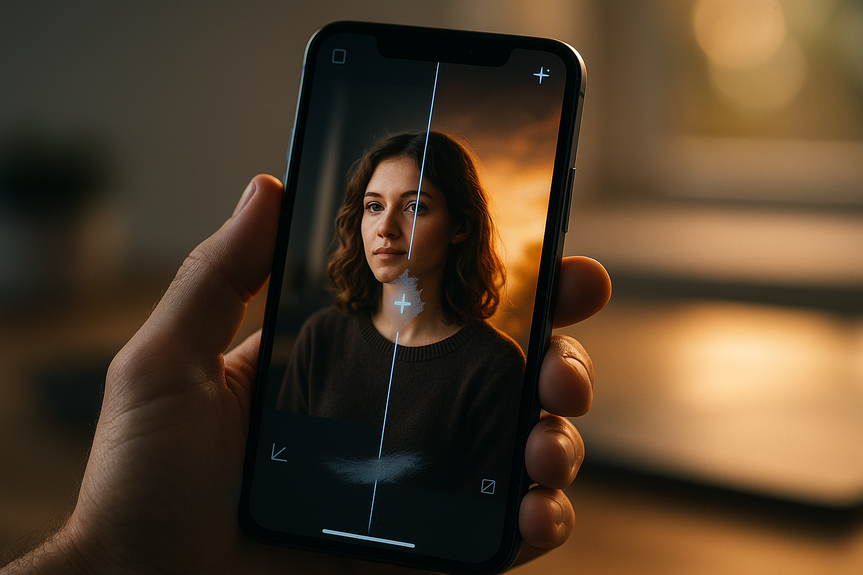
How iOS 27 AI photo editing features reframe photos
iOS 27 AI photo editing features let you extend backgrounds, enhance quality and reframe shots fast.
Apple is set to boost the Photos app with smarter tools in its next big update. Reports say “Extend,” “Enhance,” and “Reframe” will join Clean Up to speed up common edits. The iOS 27 AI photo editing features aim to expand backgrounds, improve lighting, and shift perspective, while broader Siri upgrades are expected at WWDC on June 8.
Apple is reportedly focusing on bug fixes and new Apple Intelligence upgrades across iOS, iPadOS, and macOS this year. A big part of that push sits inside Photos. Bloomberg says Apple is preparing new AI tools that go beyond filters and sliders. If released, these options could close the gap with Google and Samsung’s photo magic, while still feeling grounded and easy to trust.
Make a vertical photo fit a horizontal frame without cropping faces.
Repair clipped edges on a group photo.
Create clean margins for posters or social posts.
Brighten a dark indoor shot without blowing out windows.
Reduce grain in a low-light concert photo.
Sharpen eyes while keeping skin natural.
Center the action without heavy cropping.
Fix a tilted horizon while keeping people in frame.
Adjust perspective to reduce wide-angle distortion on edges.
Guide the viewer’s eye to the most important subject.
Correct awkward alignment that breaks immersion.
Save near-misses that would otherwise be throwaways.
If Apple makes Reframe quick and safe to use, more people may try spatial photos, since they can fix small mistakes after the fact.
Keep edits believable for everyday photos.
Avoid surreal results that can erode trust.
Offer speed and control without many menus.
Remove a stray sign (Clean Up).
Widen the frame to include a friend (Extend).
Brighten faces and smooth noise (Enhance).
Straighten lines or adjust viewpoint (Reframe).
Together, these moves reduce the need to jump to pro apps for common tasks.
Fast, private edits for common fixes.
Cloud help for larger generative fills.
Clear labels so you know what changed.
The likely limit: Apple may avoid edits that totally rewrite history, like dropping in fake people or scenes. That keeps results useful for memories, school projects, and social posts with less risk of going too far.
What’s coming: iOS 27 AI photo editing features
Bloomberg’s report points to three new tools inside Photos, likely under an “Apple Intelligence Tools” banner. They would sit alongside Clean Up, which already removes stray objects with AI.Extend: build the scene beyond the frame
Extend uses generative AI to add believable background around your subject. It can fill in more sky, continue a beach, or grow a crowd scene so a tight shot looks wider.Enhance: fix lighting and quality in one tap
Enhance aims at faster, smarter auto-corrections. It can balance exposure, lift shadows, reduce noise, and sharpen key details. Think of it as an instant “best version” pass before you fine-tune.Reframe: shift the view after you shoot
Reframe lets you change the photo’s perspective. It appears tailored for Apple’s spatial photos, but it should help any shot that needs a better angle.Reframe and spatial photos: why this matters
Spatial photos are meant to feel more lifelike when viewed on supported Apple devices. A small angle shift can make the depth pop or keep the main subject in the sweet spot. Reframe could:How Apple stacks up against Google and Samsung
Google’s Magic Editor still goes further. It can move subjects, change skies, and even generate new elements. Samsung also leans into bold AI edits. Apple, so far, seems more cautious. The iOS 27 AI photo editing features focus on expanding backgrounds, fixing quality, and nudging perspective rather than inventing entire scenes. That approach may fit Apple’s style:Clean Up gets company
Clean Up remains part of the toolkit. With Extend, Enhance, and Reframe next to it, Photos could handle most quick fixes in seconds:Beyond photos: Siri and search upgrades
Reports also point to a more capable Siri powered by Google’s Gemini models, a standalone Siri app, and AI-powered search inside Apple’s own apps. If true, that means better voice requests, faster actions, and smarter suggestions across your device. Tighter links between Siri and Photos could make edits even quicker: “Make this wider,” “Fix the lighting,” or “Remove the pole,” without digging through menus.Privacy, speed, and limits
Apple often blends on-device processing with secure cloud compute for heavier tasks. If these tools follow that pattern, expect:When you might see it
Apple is expected to preview these changes at its WWDC keynote on June 8. Features often roll out in developer and public betas over the summer, then ship with the fall release. Plans can change, but the direction is clear: smarter, faster edits inside Photos with less effort from you. In short, the iOS 27 AI photo editing features aim to help you fix shots you already like, not replace them. If Apple delivers Extend, Enhance, and Reframe as reported, everyday photos should look better, fit more screens, and feel more natural—without hours of tweaking.For more news: Click Here
FAQ
Q: What new AI tools will arrive in Photos with iOS 27?
A: Bloomberg reports Apple plans three new tools—Extend, Enhance and Reframe—to join the existing Clean Up feature in Photos. These iOS 27 AI photo editing features aim to expand backgrounds, improve lighting and shift perspective to speed up common edits.
Q: How does the Extend tool work and what can it do?
A: Extend uses generative AI to add believable background around your subject, filling more sky, continuing a beach or growing a crowd so a tight shot looks wider. It can also make a vertical photo fit a horizontal frame, repair clipped edges and create clean margins for posters or social posts.
Q: What improvements does the Enhance tool provide?
A: Enhance aims at faster, smarter auto-corrections by balancing exposure, lifting shadows, reducing noise and sharpening key details. It functions like an instant “best version” pass to improve lighting and image quality before you fine-tune further.
Q: What is Reframe and how will it help spatial photos?
A: Reframe lets you change a photo’s perspective after it’s taken and appears tailored for Apple’s spatial photos to make depth pop or keep the main subject in the sweet spot. It should also help ordinary shots by centering action, fixing tilted horizons and reducing wide-angle distortion without heavy cropping.
Q: How does Clean Up fit with the new tools?
A: Clean Up remains part of the Photos toolkit as Apple’s current AI object-removal feature and will sit alongside Extend, Enhance and Reframe under an “Apple Intelligence Tools” banner if the reports are accurate. Together these tools are meant to handle most quick fixes in seconds and reduce the need to jump to pro apps for common tasks.
Q: When is Apple expected to unveil the iOS 27 AI photo editing features?
A: Apple is expected to preview these changes at its WWDC keynote on June 8, according to reports. Features often appear in developer and public betas over the summer and typically ship with the fall release.
Q: How do Apple’s new editing tools compare to Google’s Magic Editor and Samsung’s features?
A: Apple’s approach appears more cautious, focusing on believable edits that enhance existing photos rather than creating entirely new scenes. Bloomberg notes Google and Samsung are further along in bold generative edits, with Google’s Magic Editor offering more radical additions and changes.
Q: What can users expect about privacy, speed, and limits with these AI tools?
A: Apple often blends on-device processing with secure cloud compute for heavier tasks, so if these tools follow that pattern you can expect fast, private edits for common fixes and cloud help for larger generative fills. Reports also suggest Apple may avoid edits that totally rewrite history, such as dropping in fake people or scenes.
Contents





