AI News
09 Jan 2026
Read 8 min
How Lenovo Qira personal AI platform boosts productivity
Lenovo Qira personal AI platform syncs work across phone, tablet, PC, cutting task time and downtime.
The Lenovo Qira personal AI platform links your phone, PC, and tablet so work follows you without friction. It uses a unified AI to keep apps, files, and context in sync across Lenovo and Motorola devices. Paired with new Smart tools and stronger support, Lenovo aims to cut clicks and save time.
Lenovo used CES 2026 to show how AI can remove daily busywork. Beyond new laptops and desktops, the company focused on software that speeds handoffs between devices, helps teams share faster, and keeps fleets healthy with predictive support. Here’s what stands out and how it can help your workday.
What the Lenovo Qira personal AI platform does
Ambient intelligence across devices
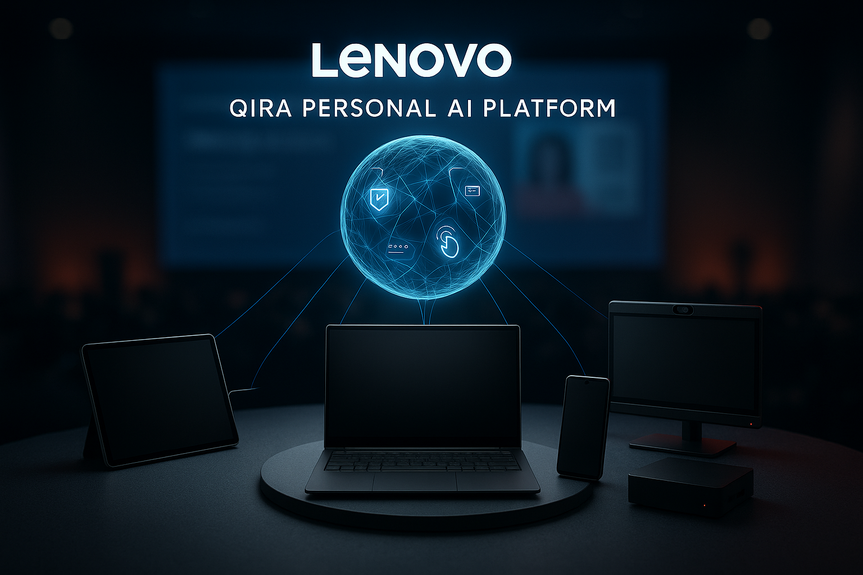
Qira serves as a “personal ambient intelligence” layer that tracks your context as you move. You can start a task on a ThinkPad, pick it up on a Motorola phone, and finish it on a tablet without hunting for files or windows. The system aims to keep your session, content, and settings aligned, so you stay in flow.Continuity for real-world tasks
With the Lenovo Qira personal AI platform, you can switch devices mid-meeting, step into a call on your phone, and carry the same notes back to your PC. It reduces friction when you travel, hot-desk, or balance work between office and home. Qira is slated to arrive in 2026.Lenovo Aura Edition features: Smart Modes, Smart Share, Smart Care
Lenovo’s latest ThinkPad X1 models, the ThinkPad X9 15p, and ThinkCentre X AIO systems add new “Smart” tools that put AI to work on everyday tasks.- Smart Modes: Adjusts system settings to match your activity. It fine-tunes performance, battery, and thermals with minimal setup, so your PC feels quick when you need it and quiet when you don’t.
- Smart Share: Speeds up collaboration. Tap-to-Share now handles instant photo sharing and adds video sharing between supported devices. Tap-to-Pair support is coming to make Bluetooth accessory connections faster and more reliable.
- Smart Care: Acts as an AI helper for troubleshooting. It pairs with the optional Lenovo Device Orchestration service to give IT better fleet visibility and faster issue resolution.
AI tools for small businesses and startups
Lenovo introduced an SMB Vertical AI Solution built for teams that need results, not complexity. It runs on ThinkStation workstations and ThinkBook laptops to push more work on-device for speed and privacy.On-device transcription and captions
Meetings can be recorded and transcribed locally, which keeps sensitive content off third-party clouds. Multilingual captioning helps global teams understand each other in real time, even when audio quality is not perfect.AI-assisted video creation
An upcoming tool will help generate and edit video with local processing. This can shorten turnaround for product demos, customer updates, and internal training while keeping assets secure and accessible.Stronger support and management for AI PCs
Lenovo’s Premier Support for Devices Suite targets reliability and uptime for both AI and non-AI PCs. It offers 24/7 access to experts in more than 100 markets and simplifies lifecycle care.- Premier Support Plus adds proactive device health alerts and predictive maintenance, including firmware and BIOS updates, to cut downtime.
- Accidental Damage Protection streamlines repairs and replacements so teams stay productive.
- An integrated AI Agent enables smart self-service and hands off to a live human when needed, reducing ticket backlogs for IT.
What the Lenovo Qira personal AI platform means for your workday
Qira and Lenovo’s Smart tools aim to trim the moments that break your focus. Tap once to share a video. Let the PC pick the right performance mode. Get a quick fix from Smart Care before opening a support ticket. For managers, Premier Support’s predictive alerts can prevent problems from growing into outages. Here are simple wins you can expect:- Fewer app and file hunts as you move between devices.
- Faster sharing in meetings and workshops.
- Clearer communication across languages with captions.
- Quicker fixes and less downtime with AI-assisted support.
For more news: Click Here
FAQ
Q: What is the Lenovo Qira personal AI platform?
A: The Lenovo Qira personal AI platform is a personal ambient intelligence layer that links your phone, PC and tablet so work follows you without friction. It uses a unified AI to keep sessions, apps, files and settings aligned across Lenovo and Motorola devices.
Q: How does the Lenovo Qira personal AI platform maintain continuity across devices?
A: The Lenovo Qira personal AI platform tracks your context as you move and keeps apps, files and window states in sync so you can start a task on one device and continue it on another. The system is designed to preserve session content and settings so you spend less time hunting for files or windows.
Q: When will the Lenovo Qira personal AI platform be available?
A: The Lenovo Qira personal AI platform is slated to arrive in 2026. Lenovo showcased the platform during its CES 2026 keynote alongside other AI-powered tools.
Q: Which devices and systems will work with the Lenovo Qira personal AI platform?
A: The Lenovo Qira personal AI platform is designed to work across Lenovo and Motorola devices and was shown alongside Aura Edition systems like the new ThinkPad X1 models, ThinkPad X9 15p and ThinkCentre X AIO. It aims to provide continuity across smartphones, PCs and tablets so sessions and content stay aligned.
Q: What are Smart Modes, Smart Share and Smart Care, and how do they relate to Qira?
A: Smart Modes adjusts system settings to match your activity, fine-tuning performance, battery and thermals with minimal setup, Smart Share speeds collaboration with Tap-to-Share for photos and added video sharing plus upcoming Tap-to-Pair support, and Smart Care provides an AI-assisted troubleshooting helper that can tie into Device Orchestration for IT. These Lenovo Aura Edition features are presented alongside the Lenovo Qira personal AI platform to reduce friction in everyday tasks.
Q: How does Lenovo support and manage fleets that use Qira and other AI tools?
A: Lenovo’s Premier Support for Devices Suite offers 24/7 access to experts in more than 100 markets and Premier Support Plus adds proactive device health alerts and predictive maintenance like firmware and BIOS updates. The service also includes Accidental Damage Protection and an integrated AI Agent for intelligent self-service and seamless escalation to human support to help keep the Lenovo Qira personal AI platform and other tools running smoothly.
Q: Does Lenovo offer privacy-focused AI features for small businesses with Qira?
A: Alongside the Lenovo Qira personal AI platform, the SMB Vertical AI Solution provides on-device meeting transcription and multilingual captioning so sensitive content stays off third-party clouds. It also includes an upcoming AI-assisted video generation tool that processes output locally to improve privacy and speed.
Q: What practical productivity improvements can users expect from the Lenovo Qira personal AI platform?
A: Users can expect fewer app and file hunts as they switch devices, faster sharing in meetings via Smart Share, and clearer communication with on-device transcription and multilingual captions. The Lenovo Qira personal AI platform and companion Smart tools also aim to reduce downtime with AI-assisted troubleshooting and predictive support, saving clicks and time.
Contents