AI News
13 Dec 2025
Read 17 min
How to fix client-side exception and restore your app fast
how to fix client-side exception and recover your web app quickly using browser console diagnostics.
A fast, reliable plan for how to fix client-side exception starts with stabilizing your users, then tracing the crash in the browser console, and finally locking in a safe fix. Use this step-by-step guide to reproduce the issue, read the stack trace, check network and build assets, and prevent the error from returning.
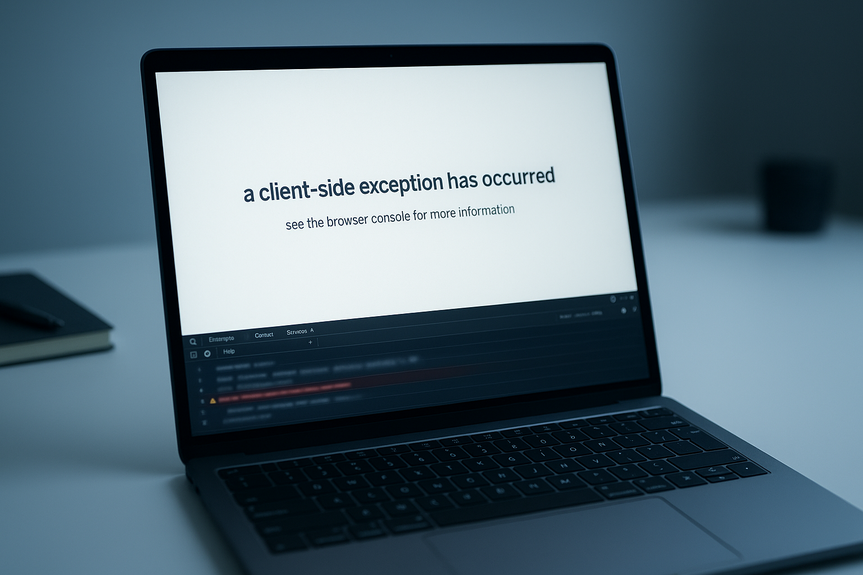
If your page shows “Application error: a client-side exception has occurred (see the browser console for more information),” you need to act fast. The error means your JavaScript crashed in the browser. Users see a broken page, not your app. The good news: you can restore service quickly if you follow a simple flow and keep calm.
How to Fix Client-Side Exception: A Step-by-Step Playbook
Stabilize the incident first
When the client breaks, fix user impact before you fix code. Keep the app usable, even if limited.- Post a short status note in your status page or banner. Let users know you see the issue.
- Roll back the last release if you shipped within the past hour and have strong signals the release caused the crash.
- Turn off the new feature behind a feature flag. Kill switches shorten outages.
- Enable a global fallback UI. For React, mount an Error Boundary at the root to catch render crashes and show a simple message with a reload button.
- Reduce cache time for JS bundles in your CDN to allow a quick hotfix to reach users.
Reproduce and scope the crash
You fix bugs faster when you can trigger them on demand.- Write down the exact steps to reproduce: page path, action, inputs, user role, and device.
- Test incognito mode. Disable browser extensions. This tells you if an extension or stale session data is involved.
- Try another browser and another device. Note versions. Scope the blast radius.
- Check if the error happens on first load, after navigation, or only after a specific click.
- Ask support to forward any screenshots, timestamps, and user IDs. Link these to logs and monitoring.
Inspect the browser console
The error message asked you to check the console for a reason. It holds the truth.- Open DevTools. Look at the Console tab. Copy the error message and stack trace.
- Common patterns:
- TypeError: Cannot read properties of undefined. A variable is not set before use.
- ReferenceError: X is not defined. A symbol is missing from scope or import.
- SyntaxError. A broken bundle or a mismatched JS feature hits older browsers.
- Unhandled promise rejection. An async call throws and no catch handles it.
- Hydration mismatch (with SSR). Server HTML does not match client render.
- CSP or CORS errors. The browser blocks a script or API call.
- Look at the exact line and file listed in the stack. If you see a minified file and a line like app.abc123.js:1, you need source maps.
Follow the stack trace with source maps
Source maps turn a minified crash into a readable line in your code.- Confirm your production build uploads source maps. Check your build config and CI. For Webpack, ensure devtool is set to a source map mode for production upload to your monitoring tool.
- Use monitoring like Sentry, Bugsnag, or Rollbar to see the mapped stack, user device, and breadcrumbs.
- If you manage maps on your server or CDN, verify they are accessible for your team (not public if you need to protect IP).
- Navigate to the exact function and inspect null checks, async flow, and any dynamic imports.
Check the Network tab
Many “client-side exceptions” start as network or asset issues.- Look for failed API calls. 401 or 403 can lead to undefined data, then a crash.
- Look for chunk 404/410. If your HTML references a JS file that no longer exists, the app can break after navigation.
- Check CORS errors. If your API or CDN blocks the request, the client code may not handle the failure.
- Validate your Content Security Policy. Too strict CSP can block scripts or inline styles your framework needs.
- Service worker cache can serve old bundles. Try a hard reload or disable the service worker to test.
Validate builds and static assets
Build drift is a silent outage.- Confirm the HTML and JS bundles come from the same build. Mixed versions cause hydration errors and runtime crashes.
- Purge the CDN cache for the new build. Stale assets often sit at edge nodes.
- Use content hashing in filenames (e.g., app.[hash].js) so the browser always fetches the right version.
- Check integrity attributes (SRI) if present. Mismatched integrity will block scripts.
- Verify environment variables at build time. An undefined API URL can break data loading.
Patch the root cause
With the stack and network clues, fix the code.- Add null checks before property access. Fail soft and show a friendly fallback.
- Wrap risky code with try/catch. Log the error and guide the user to retry.
- Harden API calls. Always handle non-200 responses and unexpected schemas.
- Delay or guard code that assumes browser APIs (e.g., localStorage, window). SSR and bots can break on these calls.
- Write a unit test that reproduces the crash. The new test prevents regressions.
Ship the fix safely
You want speed, but also confidence.- Deploy behind a feature flag. Turn it on for internal users first.
- Watch error monitoring and real user metrics for at least 15 minutes.
- Gradually ramp to 10%, 50%, then 100% of traffic if your platform supports it.
- Post a short “resolved” note on your status page with a one-line cause.
Framework-specific quick wins
React and Next.js
- Use Error Boundaries at key routes so one component crash does not blank the whole page.
- Fix hydration mismatches by making server and client render the same initial state. Avoid using Math.random(), Date.now(), or browser-only APIs during the first render.
- Use dynamic imports for browser-only code with ssr: false in Next.js when needed.
- Guard useEffect code that touches window or document. Check for typeof window !== ‘undefined’.
- If a chunk 404 occurs after deploy, invalidate CDN and ensure next build did not change chunk IDs without updating HTML.
Vue and Nuxt
- Wrap risky components with errorCaptured to catch child errors and show a fallback.
- For SSR, avoid accessing window on setup. Use onMounted for browser-only code.
- Validate props and provide defaults to avoid undefined access.
- Check route-based code splitting for missing or stale chunks after deploy.
Angular
- Enable global error handling with ErrorHandler to log and route errors.
- Use strict typing and null checks in templates to avoid undefined pipe errors.
- Watch for zone.js issues with third-party libraries. Wrap callbacks in NgZone when needed.
- Confirm production build uses correct configurations and source maps for monitoring.
Svelte and SvelteKit
- Guard browser-only APIs with browser checks from $app/environment.
- Handle load function errors with fallbacks and clear messages. Never assume API success.
- Check server and client data shape alignment to prevent hydration mismatches.
Data and API defenses that prevent crashes
Validate everything at runtime
- Use runtime schema validation for API responses. If the shape is wrong, show a safe fallback rather than crash.
- Provide default values for optional fields before rendering UI.
- Handle timeouts and retries for fetch calls. Avoid unhandled promise rejections.
Make errors visible, not fatal
- Capture errors with window.onerror and window.onunhandledrejection. Report to your monitoring tool.
- Show a small toast or inline error message. Give users a retry button.
- Keep a non-breaking path: if search fails, still render the page with a prompt to try again.
Control risky experiments
- Put new UI and logic behind feature flags.
- Add a remote kill switch for each flag to end a bad rollout in seconds.
- Log exposure events so you can link crashes to flags.
Build, deploy, and security settings that matter
Caching and assets
- Use hashed filenames for JS and CSS. Set long max-age on assets, short on HTML. On deploy, purge CDN.
- Automate canary deploys to catch client errors at small scale first.
- If you use a service worker, implement a clear update flow. Stale caches cause mystery bugs.
CSP, SRI, and third-party scripts
- Start with a reasonable CSP that allows your domains and CDNs. Log violations to see blocks.
- Use Subresource Integrity for third-party scripts. If integrity fails, load a fallback.
- Audit third-party tags. Reduce them. Each tag can crash your app.
Performance and compatibility
- Polyfill only what you need based on real user agents. Avoid shipping modern-only syntax to old browsers.
- Split bundles so one bad route does not break the whole app.
- Watch Core Web Vitals. Poor performance can trigger race conditions and timeouts.
Operational checklist to restore your app fast
If you need a quick reminder of how to fix client-side exception during an outage, follow this sequence and keep it visible to the team.- Declare the incident. Assign an incident lead and a fixer.
- Stabilize users: rollback or turn off the flag. Add a status banner.
- Reproduce the error with exact steps. Test incognito and another browser.
- Open the console. Copy the error and stack. Check source maps.
- Check the Network tab for failed chunks, CORS, CSP, or API errors.
- Patch the code with null checks, guards, or better error handling.
- Deploy behind a flag. Verify with monitoring. Ramp traffic.
- Close the incident with a short note and create a follow-up task to prevent repeats.
Common root causes and fast fixes
Undefined data in render
- Cause: API returns null or field missing. UI accesses property directly.
- Fix: Add safe optional chaining and default values. Validate schema and branch UI.
Chunk not loading after deploy
- Cause: HTML points to a JS file that the CDN does not have yet or has cached old links.
- Fix: Invalidate CDN, serve hashed assets, and deploy HTML with matching manifest.
Hydration mismatch with SSR
- Cause: Server and client render different content due to non-deterministic code.
- Fix: Remove random values on first render. Gate browser-only logic to effects. Sync initial data.
Unhandled promise rejection
- Cause: fetch or async code throws, but no catch block handles it.
- Fix: Add try/catch. Centralize error handling. Show a friendly message and allow retry.
CSP and CORS blocks
- Cause: Security headers block scripts or cross-origin requests.
- Fix: Update CSP to include valid sources. Set correct CORS headers on the API. Avoid wildcard credentials.
Make the fix stick with process and tooling
Monitoring and alerts
- Set up error monitoring across all environments. Tag releases and link commits.
- Alert on new error spikes and unusual user impact, not just single errors.
- Use session replay to see the exact user path to the crash.
Testing that catches crashes early
- Add unit tests for the crash path. Include null and error cases.
- Use e2e tests for key flows like login, checkout, and search.
- Run canaries in production with real traffic to detect issues safely.
Documentation and training
- Keep a short runbook with the steps in this guide. Include screenshots of DevTools.
- Practice “game days” where the team fixes a staged client error.
- Bookmark this playbook to teach new hires how to fix client-side exception without panic.
(Source: https://openai.com/index/introducing-gpt-5-2/)
For more news: Click Here
FAQ
Q: What does the message “Application error: a client-side exception has occurred” mean?
A: It means your JavaScript crashed in the browser and the page has stopped rendering correctly. To start learning how to fix client-side exception, open the browser console and copy the error message and stack trace.
Q: How should I stabilize users when a client-side exception occurs?
A: Stabilize users by posting a short status note, rolling back the last release or turning off the new feature behind a feature flag, and enabling a global fallback UI such as a root Error Boundary. Reducing cache time for JS bundles on your CDN also helps a hotfix reach users quickly.
Q: How can I reproduce and scope the crash to debug it?
A: Reproduce the issue by writing exact steps including page path, actions, inputs, user role, and device, then test in incognito mode, with extensions disabled, and on another browser or device to narrow the blast radius. Ask support to forward screenshots, timestamps, and user IDs so you can link reproductions to logs and monitoring.
Q: What should I inspect in the browser console to trace the crash?
A: Open DevTools, check the Console tab, and copy the error message and full stack trace to follow the failure. Look for common patterns like TypeError, ReferenceError, SyntaxError, unhandled promise rejections, hydration mismatches, or CSP/CORS errors, and note if the stack shows a minified file that needs source maps.
Q: Why are source maps important and how do I use them to trace crashes?
A: Source maps turn a minified crash into a readable line in your code and are essential when figuring out how to fix client-side exception. Confirm your production build uploads source maps, check your build and CI settings, and use monitoring tools like Sentry, Bugsnag, or Rollbar to see the mapped stack and related breadcrumbs.
Q: How can network and asset issues cause client-side exceptions?
A: Many client-side exceptions start as network or asset problems such as failed API calls (401/403) that produce undefined data, missing chunks that return 404/410, CORS or CSP blocks, or service workers serving stale bundles. Check the Network tab for failed requests, chunk errors, and blocked resources to identify these root causes.
Q: What code changes should I make to patch the root cause and prevent regressions?
A: Patch the root cause by adding null checks or optional chaining, wrapping risky code in try/catch, hardening API calls to handle non-200 responses, and guarding browser-only APIs with appropriate checks or delays. Add a unit test that reproduces the crash and deploy the fix behind a feature flag while watching error monitoring and real user metrics.
Q: What operational practices help prevent future client-side exceptions and speed up incident response?
A: Set up error monitoring with release tags and alerts on spikes, use runtime schema validation, run unit and e2e tests, and run canaries so issues surface at small scale. Keep a short runbook with DevTools screenshots, practice game days, and document the steps on how to fix client-side exception so teams can restore service quickly.
Contents