Crypto
25 Jul 2026
Read 12 min
How to fix third-party timeout error and restore API calls *
how to fix third-party timeout error by increasing the timeout query parameter to restore API calls.
Learn how to fix third-party timeout error fast with a clear checklist: confirm the error, right-size client timeouts, add safe retries with jitter, and trim your request payload. Use provider hints like a “timeout” query parameter only when needed, and watch metrics to prevent slow APIs from breaking key user flows.
When a partner API slows down, your users feel it. Buttons spin. Pages hang. Revenue drops. The good news: most timeouts have a clear cause. You can diagnose them with a few steps and apply safe fixes. This guide shows how to validate the error, tune your client, harden your network, and work with the vendor so your calls return on time.
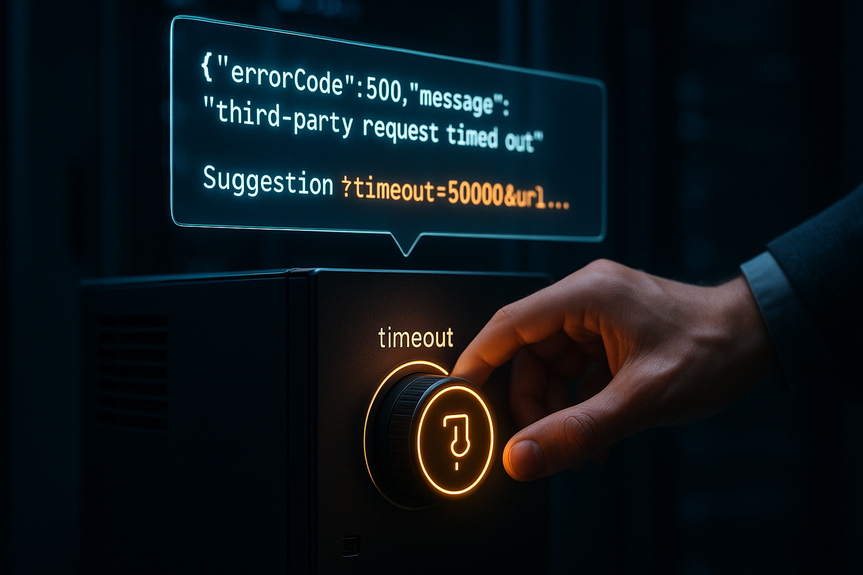
Read the message and status code. Look for clues like 408, 500, or 504. Some services include a hint like “Request of third-party content timed out” and suggest adding a timeout query parameter (for example, ?timeout=50000&url=…).
Check if the failure is global or in one region, account, or endpoint. Compare success rates by route, data center, and ISP.
Review change logs for your app, your network, and the provider. Many timeouts follow a deploy, a firewall rule change, or a plan limit.
Hit the same endpoint with a small, safe call. Note DNS time, connect time, TLS time, and time to first byte.
Measure percentiles (p50, p95, p99), not just averages. Timeouts hide in tail latency.
Try different paths: IPv4 vs IPv6, proxy vs direct, and test from at least two locations.
Set short connect timeouts (for example, 1–3 seconds) so bad networks fail fast.
Set read timeouts per endpoint type. For quick reads, 3–10 seconds may be fine. For slow reports, use a longer deadline but cap it.
Use a total deadline. A single request should not hang your worker for minutes.
If the provider supports a query parameter like timeout=50000, only raise it when the task is known to be long. Do not set huge values by default.
Retry only idempotent calls (GET, HEAD, safe POSTs with idempotency keys).
Use exponential backoff with jitter. Example: 200 ms, 400–800 ms, 800–1600 ms. Add random jitter to spread load.
Limit attempts (often 2–3) and use a per-call budget. Do not let retries outlive the user request.
Trip a breaker when error or latency crosses a threshold. Short-circuit new calls for a brief window and let the system recover.
Serve cached or partial data when possible. Show the last known exchange rate, a cached inventory count, or a “come back later” banner.
Queue non-urgent work. For example, put file scans on a job queue and notify the user when done.
Check outbound egress rules. Ensure your app can reach the provider’s IPs and ports. Allow both IPv4 and IPv6 if the SDK prefers one.
Verify proxies and NAT gateways. Overloaded NAT can add seconds of delay or drop bursts.
Use healthy DNS. Set reasonable TTLs. Avoid slow, overloaded resolvers. If you pin to a single DNS server, make sure it is close and redundant.
Keep connections warm. Turn on HTTP keep-alive and connection pooling. Warm pools cut TLS handshakes, which reduces timeouts under load.
Watch MTU and PMTU black holes if large payloads stall. Enable TCP MSS clamping on VPN links.
Fetch only the fields you need. Many APIs support fields filtering or sparse fieldsets.
Compress where safe. Enable gzip or Brotli for JSON. For uploads, use chunking or multipart with resumable support.
Paginate or batch wisely. Avoid one huge call. Either send smaller pages or batch small items to reduce chattiness.
Use asynchronous jobs for slow tasks. Start a job, get a job ID, and poll or accept a webhook when done.
Prefer server-side exports. Let the provider build the file and give you a URL, instead of streaming a million rows through a single request.
Use streaming or HTTP/2 when supported. Multiplexing reduces head-of-line blocking.
Read the provider’s timeout rules, rate limits, and SLAs. Align your timeouts with theirs. If they have a 30-second gateway, do not wait 120 seconds.
If they offer a timeout query parameter, test safe values in staging first. For example, try timeout=15000 for a longer report, then watch p95 and p99.
Check the status page and subscribe to alerts. Many “mystery” timeouts match known incidents.
Open a support ticket with request IDs, timestamps, regions, and example payload sizes. Ask about long-running job endpoints, batch APIs, or data filtering.
Limit parallel calls per user and per process. A burst of 100 parallel calls can overwhelm the partner and you.
Add a token bucket or leaky bucket to smooth spikes. Slow down before the provider rate-limits you.
Use isolation. Run third-party calls in a separate thread pool. Keep core threads free for local work.
Log request IDs, endpoint, method, status, latency, and retry count. Redact secrets.
Tag logs with user, tenant, region, and app version to see patterns.
Graph success rate, p50/p95/p99 latency, timeouts, and breaker trips. Watch weekly trends, not just daily.
Create alerts for rising tail latency and error rate, not only for 100% failure. Early warning beats a full outage.
Enable distributed tracing around the external call span. Add attributes for DNS, connect, TLS, and server time.
Run synthetic probes from multiple regions to the same endpoints. Catch regional or ISP issues before users do.
Confirm TLS versions and cipher suites match provider requirements. A failed negotiation can look like a timeout.
Audit WAF and DDoS rules. Overzealous filtering can delay or drop valid calls.
Review data egress policies. Some gateways scan or rewrite traffic and add delay. Whitelist trusted API domains where allowed.
Roll back or feature-flag the change. Compare request timeouts, retries, and payload sizes before and after.
Lower connect timeout to fail fast. Add a circuit breaker to contain impact.
Cap concurrency and add small jitter to spread load.
Cache common reads for short periods (30–120 seconds). Cut hits to the provider by 60–90% on hot paths.
Batch background writes. Send every 500 ms instead of per event.
Raise it in small steps (for example, from 10s to 15s). Keep a strict client-side deadline so your app does not hang.
Move heavy work to an async job with user notifications. This is often the cleanest answer to how to fix third-party timeout error without hurting the user experience.
In short, start with measurement, then make small, safe changes. Right-size client timeouts, add smart retries with jitter, and trim payloads. Fix network bottlenecks and keep connections warm. When tasks are slow by design, switch to async patterns or use the provider’s timeout controls. If your team asks how to fix third-party timeout error, follow this checklist, watch your metrics, and you will restore stable API calls fast.
How to fix third-party timeout error: quick diagnosis checklist
Confirm the error and scope
Reproduce and measure
Stabilize requests with sane timeouts and retries
Right-size client timeouts
Retry without creating a storm
Add circuit breakers and fallbacks
Fix network and DNS issues that cause slow starts
Tune the request and trim payload bloat
Send less, get faster
Choose the right pattern
Use provider features and support
Control concurrency and protect your app
Improve observability for faster root cause
Log the right details
Track metrics and set alerts
Use tracing and synthetic tests
Security and governance checks that affect timeouts
Practical playbooks you can apply today
If timeouts started after a new release
If timeouts only happen during traffic spikes
If the provider recommends increasing a timeout parameter
(Source: https://www.nytimes.com/2026/07/22/technology/crypto-bill-trump.html)
For more news: Click Here
FAQ
Q: What first steps should I take to confirm and scope a “Request of third-party content timed out” error?
A: Read the error message and status code (look for 408, 500, or 504) and note any provider hints such as a timeout query parameter (?timeout=50000&url=…). Check whether failures are global or limited to a region, account, or endpoint, and review recent change logs for your app, network, or the provider.
Q: How do I reproduce and measure latency to find where timeouts occur?
A: Hit the same endpoint with a small, safe call and record DNS time, connect time, TLS time, and time to first byte. Measure percentiles (p50, p95, p99) rather than averages and test different paths such as IPv4 vs IPv6 or proxy vs direct from at least two locations.
Q: How should I right-size client timeouts so requests don’t hang workers?
A: Set short connect timeouts (for example, 1–3 seconds) and choose read timeouts per endpoint type (3–10 seconds for quick reads, longer for slow reports) while capping them with a total deadline. Use a provider timeout query parameter only when the task is known to be long and avoid setting huge values by default.
Q: What retry strategy prevents creating a retry storm?
A: Retry only idempotent calls and use exponential backoff with jitter (for example, 200 ms, 400–800 ms, 800–1600 ms), while limiting attempts to 2–3 and enforcing a per-call budget. Ensure retries do not outlive the user request to avoid amplifying load on the provider.
Q: How can circuit breakers and fallbacks reduce user impact during provider slowness?
A: Trip a circuit breaker when error rates or latency cross thresholds to short-circuit new calls and allow recovery, and serve cached or partial data such as the last known value when possible. Queue non-urgent work or use async jobs so slow tasks do not block user-facing flows.
Q: What network and DNS checks help prevent slow starts that lead to timeouts?
A: Verify outbound egress rules, proxies, and NAT gateways and allow both IPv4 and IPv6 where the SDK prefers them, and use healthy DNS with reasonable TTLs rather than a single slow resolver. Keep connections warm with HTTP keep-alive and connection pooling to reduce TLS handshakes and watch MTU/PMTU issues on VPN links.
Q: How can I trim payload bloat and choose the right request pattern to speed responses?
A: Fetch only the fields you need, enable gzip or Brotli where safe, and paginate or batch requests to avoid oversized calls. Prefer asynchronous jobs, server-side exports, or streaming/HTTP/2 for slow or large transfers to reduce head-of-line blocking.
Q: What observability and support steps should I take to diagnose recurring timeouts and implement fixes?
A: Log request IDs, endpoint, method, status, latency, and retry count and track metrics like success rate and p50/p95/p99 latency so you can alert on rising tail latency and failures. Use distributed tracing and synthetic probes from multiple regions, and when needed open support tickets with request IDs, timestamps, regions, and example payloads to help determine how to fix third-party timeout error.
* The information provided on this website is based solely on my personal experience, research and technical knowledge. This content should not be construed as investment advice or a recommendation. Any investment decision must be made on the basis of your own independent judgement.
Contents