AI News
13 May 2026
Read 11 min
How to pick spec-driven development tools comparison 2026
spec-driven development tools comparison 2026 helps teams pick agents to reduce bugs and speed launch
This spec-driven development tools comparison 2026 explains how to choose the right stack for clear specs, fast delivery, and fewer rewrites. See quick picks, key differences, and best-fit guidance for Kiro, GitHub Spec Kit, BMAD, GSD, Cursor, Claude Code, Augment, OpenSpec, and Tessl.
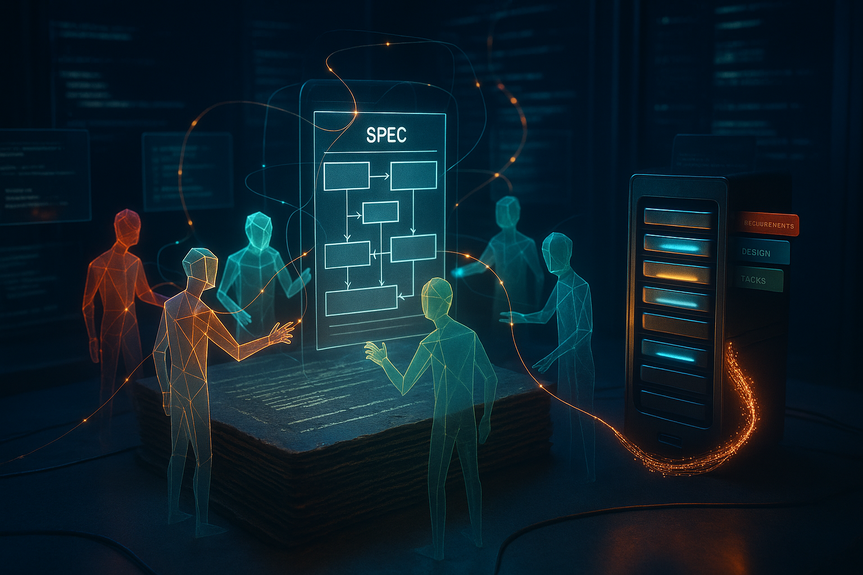
Speed without clarity leads to rework. Spec-driven development (SDD) fixes that by making a shared, living spec the source of truth. The tools below help teams write, govern, and execute specs, then sync code to those specs. Use this guide to match your needs to the right workflow, model strategy, and editor.
Spec-driven development tools comparison 2026: Quick picks
Best fit at a glance
- AWS Kiro: Best for teams that want a built-in spec lifecycle (requirements/design/tasks) inside a familiar IDE.
- GitHub Spec Kit: Best open-source CLI for portability and a clear “constitution” that governs every change.
- BMAD-METHOD: Best for role-based multi-agent orchestration across the full SDLC without vendor lock-in.
- GSD: Best lean option to plan, execute, and verify with minimal ceremony and strong model flexibility.
- Cursor (Plan Mode + Project Rules): Best editor-first path to plan-first habits and lightweight, portable rules.
- Claude Code: Best autonomous CLI agent that handles large specs and stays coherent through long tasks.
- Augment Code: Best context layer for huge or multi-repo codebases where cross-service understanding breaks specs.
- OpenSpec: Best for change control and audit trails with clear ADDED/MODIFIED/REMOVED deltas.
- Tessl: Best for teaching any MCP-compatible agent a spec-first workflow plus a registry of library specs.
How to choose the right tool
Start with three questions
- Where do you fail today? If specs drift after kickoff, pick tools with living-spec sync (Kiro, Spec Kit, GSD, BMAD). If context is the issue, add Augment Code.
- Who runs the workflow? If you need cross-role handoffs (PM, architect, QA), use BMAD. If you want a fast solo loop, try Claude Code or GSD.
- What guardrails do you need? For audits and change logs, pick OpenSpec. For editor comfort with light structure, use Cursor with Plan Mode.
Side-by-side highlights and tradeoffs
AWS Kiro
- Strengths: Formal three-phase flow (requirements.md, design.md, tasks.md), EARS-style user stories, agent hooks that auto-run tests, docs, and scans.
- Models: Auto routes across multiple top models or let you pin one for consistency.
- Tradeoffs: Opinionated structure; less ideal if you only want a lightweight layer on top of an existing editor.
GitHub Spec Kit
- Strengths: Open-source CLI, four clear phases (Specify, Plan, Tasks, Implement), and a “constitution” file that sets non-negotiable rules.
- Ecosystem: Works with 30+ agents including Claude Code, Copilot, Amazon Q, and Gemini CLI.
- Tradeoffs: CLI-first; you manage IDE integration and discipline yourself.
BMAD-METHOD
- Strengths: 12+ specialized agents that pass structured documents along the SDLC; cross-platform agent teams for different hosts.
- Architecture: Core framework, agile method module, and builder tools for custom agent teams.
- Tradeoffs: More ceremony; great for teams, heavier than solo devs may want.
GSD (Get Shit Done)
- Strengths: Lean meta-prompting that spins up researchers, planners, executors, and verifiers; supports OpenRouter and local models.
- Gaps it fills: Context rotation, quality gates, and planning state persistence on top of agents like Claude Code.
- Tradeoffs: Less formal than BMAD; assumes you prefer speed and minimal process.
Cursor (Plan Mode + Project Rules)
- Strengths: Plan Mode asks questions, maps files, and proposes a plan before code changes; project rules in .cursor/rules/ act like a living spec.
- Tradeoffs: No native spec lifecycle or drift detection; lighter guardrails than Kiro.
Claude Code
- Strengths: Autonomous CLI that digests long specs and executes multi-step work; common agent in many SDD frameworks.
- Practice: Many teams standardize a CLAUDE.md to enforce project context, standards, and patterns.
- Tradeoffs: You supply the process; pair with GSD, Spec Kit, or BMAD for structure.
Augment Code
- Strengths: Context Engine tracks architecture across very large codebases and multiple repos; BYOA with Claude Code, Codex, OpenCode, and native agent.
- Use case: Adds the missing semantic glue so your specs stay accurate in brownfield systems.
- Tradeoffs: Not a spec authoring tool; pair with Kiro, Spec Kit, or GSD.
OpenSpec
- Strengths: Proposal-first docs with explicit ADDED/MODIFIED/REMOVED markers for change control.
- Best for: Regulated teams and organizations that need auditable deltas before code changes start.
- Tradeoffs: Static proposals can drift during long builds; pair with a living-spec layer.
Tessl
- Strengths: “Tiles” in .tessl/ teach any MCP-compatible agent to ask questions, write specs, wait for approval, then implement.
- Spec Registry: 10,000+ library specs reduce API hallucinations and version mix-ups.
- Tradeoffs: Works best when your agents already support MCP; adds a method plus library knowledge layer.
Proven tool pairings
- Spec Kit + Augment Code: Write strong specs and keep them right across massive repos.
- Kiro + Tessl: Full spec lifecycle with hooks plus library-accurate specs to cut API errors.
- BMAD + Claude Code: Role-based plans and reviews with a reliable autonomous executor.
- Cursor + Project Rules + OpenSpec: Editor-native plans, portable rules, and strict change proposals.
- GSD + OpenRouter/local LLMs: Fast, cost-aware runs with vendor flexibility and quality gates.
Implementation checklist (two weeks to value)
- Define the rules file (constitution, CLAUDE.md, or project rules) with coding standards, architecture, and non-negotiables.
- Pick one spec workflow (Kiro or Spec Kit or GSD). Do not mix at first.
- Set models: choose an auto-router or pin one model for consistency on early sprints.
- Wire CI to run tests, security scans, and drift checks on every spec and code change.
- Start with a mid-size feature that touches multiple files to stress the planning layer.
- Hold a retro: update rules, templates, and hooks based on the first run.
For more news: Click Here
FAQ
Q: What problem does spec-driven development aim to solve?
A: The spec-driven development tools comparison 2026 explains that SDD addresses “speed without clarity” by treating a structured specification as the source of truth and code as the generated output. This approach reduces rewrites by aligning implementation with intent and keeping specs and code synchronized.
Q: How should teams decide which SDD tool to adopt?
A: Start with the three questions the guide recommends: where you fail today, who will run the workflow, and what guardrails you need. The spec-driven development tools comparison 2026 maps those answers to tool matches such as Kiro, Spec Kit, GSD, and BMAD for living-spec sync, Augment Code for large codebases, and OpenSpec for audit-heavy needs.
Q: What makes AWS Kiro a good choice for teams wanting an integrated spec lifecycle?
A: AWS Kiro centers a three‑phase Requirements/Design/Tasks flow and generates requirements.md, design.md, and tasks.md while producing EARS-style user stories to capture acceptance criteria. The spec-driven development tools comparison 2026 also highlights Kiro’s agent hooks that auto-run tests, documentation, and security scans and its Auto router for model selection.
Q: Which tool helps keep specs accurate across very large or multi-repo codebases?
A: Augment Code’s Context Engine maintains a persistent architectural understanding across 400,000+ files to address cross-repository context drift that breaks specification workflows at scale. The spec-driven development tools comparison 2026 notes Augment is BYOA and should be paired with a spec authoring tool like Spec Kit or Kiro since it does not author specs natively.
Q: Which tool is recommended for strict change control and auditable deltas?
A: OpenSpec uses a proposal-centered workflow with explicit ADDED/MODIFIED/REMOVED delta markers to track what changes relative to existing functionality. The spec-driven development tools comparison 2026 recommends OpenSpec for teams that need auditable change trails and advises pairing it with a living-spec platform for long implementations to avoid drift.
Q: When is BMAD-METHOD the right fit compared with leaner frameworks like GSD?
A: Choose BMAD-METHOD when you need role-separated, multi-agent orchestration across the full SDLC, as it runs 12+ specialized agents that pass structured documents along the chain. The spec-driven development tools comparison 2026 cautions that BMAD introduces more ceremony and coordination than leaner options like GSD, making it better suited for larger teams with stakeholder handoffs.
Q: Can teams adopt spec-first practices without leaving their existing editor?
A: Yes — Cursor’s Plan Mode creates a detailed implementation plan before code is written, asks clarifying questions, maps affected files, and project rules under .cursor/rules/ act as a lightweight living-spec. The spec-driven development tools comparison 2026 notes this editor-first path is portable and low-ceremony but lacks a native spec lifecycle, drift detection, or living-spec synchronization compared with tools like Kiro.
Q: What practical checklist will help a team get two weeks to value with an SDD workflow?
A: Define a rules file (constitution, CLAUDE.md, or project rules), pick a single spec workflow such as Kiro, Spec Kit, or GSD, and choose a model strategy (auto-router or pin one model) for early sprints. Then wire CI to run tests, security scans, and drift checks, implement a mid-size multi-file feature, and hold a retro to update rules, templates, and hooks; the spec-driven development tools comparison 2026 presents this as a pragmatic two-week path to reduce rewrites.
Contents