AI News
21 Sep 2026
Read 10 min
How to Use Best AI Tools for Video Creators 2026
best AI tools for video creators 2026 speed editing, automate scripting, and improve audio in minutes
Use the best AI tools for video creators 2026 to plan scripts, edit faster, and publish with confidence. This guide shows practical picks for ideation, video and audio, captions, and thumbnails. See simple workflows and tips that cut hours from production while keeping your story and brand voice clear.
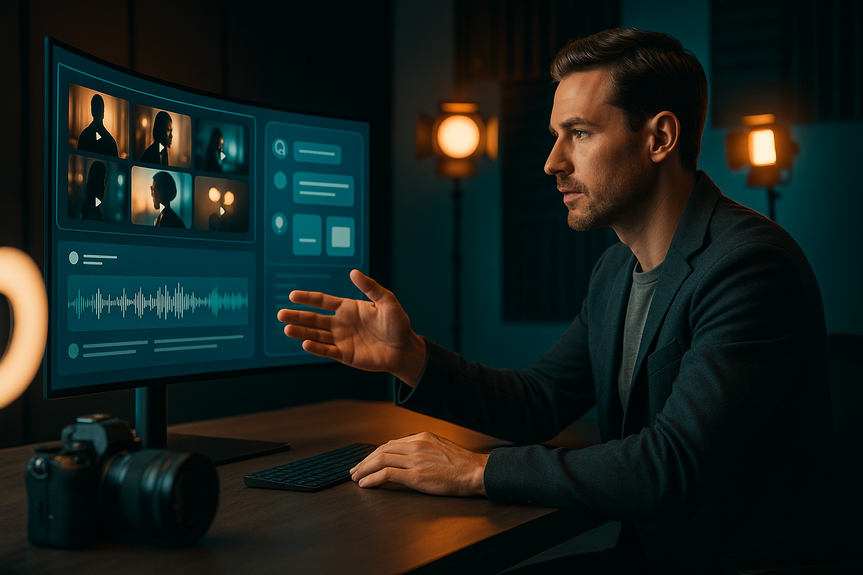
Video creators now face more formats, more platforms, and less time. Good news: AI can help at every step, from idea to upload. You do not need a huge budget or a big team. Set up a lean stack, learn a few repeatable moves, and you can ship more videos with less stress.
Speed: Does it save real time on tasks you do often?
Quality: Does output look and sound pro with little cleanup?
Control: Can you guide style, pacing, voice, and brand?
Cost: Is pricing clear and fair for weekly use?
When you compare the best AI tools for video creators 2026, run a short test on your own footage and script. If a tool cannot help your next video this week, skip it.
ChatGPT or Claude: Brainstorm hooks, titles, and a tight outline. Ask for A/B title options and a 10-second cold open.
Notion AI or Google Docs AI: Turn notes into a clean script and shot list. Keep version history simple.
Midjourney or Adobe Firefly: Create storyboards, set designs, and thumbnail concepts. Use text prompts with brand colors and tone.
Runway image tools or Stable Diffusion: Make quick mood boards for lighting and framing before you shoot.
Quick tip: Lock the hook, promise, and call to action first. Then let the AI fill transitions and B-roll notes.
Adobe Premiere Pro (Sensei) or DaVinci Resolve: Use AI scene edit detection, auto color match, voice isolation, and music ducking to speed your rough cut.
Final Cut Pro plugins: Try smart reframing and noise removal to prep shorts and reels fast.
Runway Gen-3 or Pika: Generate short cutaways, abstract loops, or transitions. Great for explainer channels and ads.
Stock AI search: Use Envato, Artlist, or Storyblocks with AI tags to find fitting B‑roll in seconds.
OpenAI Whisper or Descript: Get fast, accurate transcripts and text-based editing. Fix stumbles by editing words, not waveforms.
Adobe Enhance Speech or iZotope RX: Remove room noise and level volume for a studio sound.
ElevenLabs or PlayHT: Create or replace voice lines in the same style. Use with clear disclosure when needed.
Pro move: Record a “safety take” of each key line. If AI misreads a word, you have a clean swap.
Descript, CapCut, or Submagic: Auto-generate captions, add brand fonts, and fix timing. Export styles as presets.
Opus Clip or Kapwing: Find top moments and auto-cut shorts with reframing for vertical video.
Canva with Magic Design or Adobe Express: Build thumbnails from a template. Swap faces, backgrounds, and text in minutes.
Firefly generative fill: Remove clutter, boost subject, and add subtle glow to guide the eye.
Udio or Suno for AI music, or Artlist for licensed tracks: Keep stems when possible so you can remix to fit pacing.
Sound effects libraries with AI search: Drop in whooshes, clicks, and risers that match tempo.
TubeBuddy or vidIQ: Get keyword ideas, auto chapters, and CTR checks. Test titles and thumbnails.
Platform assistants: Use YouTube’s auto-chapters and Shorts remix tools to extend reach.
Retention heatmaps: Note drop points, then script tighter intros next time.
Hook benchmarks: Track first 30 seconds. Improve pattern interrupts and on-screen text.
Minutes 0–10: In a chat agent, draft hook, promise, and 5-beat outline. Generate a thumbnail concept.
Minutes 10–25: Record A-roll. Capture 3 alt takes for the hook. Record room tone.
Minutes 25–35: Transcribe with Whisper/Descript. Delete filler with text-based edits.
Minutes 35–45: Add AI B‑roll or stock clips. Auto-captions and brand style. Enhance speech.
Minutes 45–55: Build two thumbnails. Write two titles. Use a tool to predict CTR and pick one.
Minutes 55–60: Upload, add chapters, end screen, and pinned comment. Schedule and track.
Check licenses: Music, images, and AI outputs must allow commercial use.
Disclose AI voices or heavy generation if it changes viewer trust.
Protect your voice: Opt out of public model training where possible.
Verify facts: Use a second source for data and claims. Add citations in description.
Ideas: ChatGPT or Claude
Script and notes: Notion AI or Google Docs with AI
Edit: Premiere Pro or DaVinci Resolve with AI assists
Transcribe and captions: Descript or Whisper
B‑roll and video gen: Runway or Pika
Thumbnails: Canva or Adobe Express + Firefly
Music and SFX: Artlist, Udio/Suno (with care)
Optimization: TubeBuddy or vidIQ
In short, the best AI tools for video creators 2026 help you think faster, cut cleaner, and publish with data. Start with one tool per stage, measure time saved, and keep only what moves the needle. With the right stack, you can ship better videos more often and still enjoy the process.
(Source: https://www.youtube.com/watch?v=vQpenVys4p8)
For more news: Click Here
What Makes the best AI tools for video creators 2026
Score tools by these four checks
Plan: Ideas, Scripts, and Storyboards
Chat agents for concepts and outlines
Image generators for look and feel
Produce: Video, Audio, and B‑Roll
Editing assistants inside NLEs
Generative video and B‑roll
Audio capture and cleanup
Post: Captions, Clips, and Thumbnails
Auto captions and highlights
Thumbnail and title tests
Music and sound design
Publish and Analyze
Smart scheduling and metadata
Analytics you will use
A 60-Minute AI-Assisted Video Blueprint
Quality, Rights, and Trust
Keep it safe and fair
Tool Stack Quick Picks
Good, fast, simple
FAQ
Q: What stages of video production do the best AI tools for video creators 2026 cover?
A: The best AI tools for video creators 2026 cover planning (ideas, scripts, and storyboards), production (video, audio, and B‑roll), post (captions, clips, and thumbnails), and publishing with analytics. Using tools across those stages helps you plan scripts, edit faster, and publish with confidence.
Q: How should I evaluate and choose which AI tools to use?
A: Score tools by speed, quality, control, and cost, then run a short test on your own footage and script to see real results. When comparing the best AI tools for video creators 2026, skip anything that won’t help your next video this week.
Q: Which AI tools work best for brainstorming ideas and writing scripts?
A: For planning and scripting, the best AI tools for video creators 2026 include chat agents like ChatGPT or Claude to brainstorm hooks, titles, and tight outlines, and Notion AI or Google Docs AI to turn notes into clean scripts and shot lists. For look and mood, use image generators such as Midjourney or Adobe Firefly and tools like Runway image tools or Stable Diffusion for mood boards and storyboards.
Q: What AI features speed up editing and adding B‑roll?
A: Editing assistants in NLEs such as Adobe Premiere Pro (Sensei) and DaVinci Resolve offer AI scene edit detection, auto color match, voice isolation, and music ducking, while Final Cut Pro plugins provide smart reframing and noise removal for shorts. For B‑roll and generative clips, tools like Runway Gen‑3 or Pika and AI-enabled stock searches on Envato, Artlist, or Storyblocks can fill cutaways quickly.
Q: How can AI improve audio capture and cleanup in my videos?
A: Use transcription and text-based editors like OpenAI Whisper or Descript to get fast, accurate transcripts and to edit words instead of waveforms, and apply Adobe Enhance Speech or iZotope RX to remove room noise and level volume for a studio sound. Consider ElevenLabs or PlayHT to create or replace voice lines with style matching, noting that disclosure may be required when it changes viewer trust.
Q: Which AI tools help with captions, short clips, and thumbnails?
A: Auto-captioning tools like Descript, CapCut, or Submagic can generate captions with brand fonts and timing presets, while Opus Clip and Kapwing can find highlights and auto-cut vertical shorts with reframing. Thumbnails and title testing are fast in Canva with Magic Design or Adobe Express, and Firefly generative fill can remove clutter or boost the subject to guide the eye.
Q: What legal and trust issues should I check before using AI outputs?
A: Check licenses for music, images, and AI outputs to ensure they allow commercial use, disclose AI voices or heavy generation when it affects viewer trust, and opt out of public model training where possible. Also verify facts with a second source and add citations in your description for data or claims.
Q: How do I measure whether an AI tool is actually saving time and improving my videos?
A: Start with one tool per stage, run short tests on real projects, and measure time saved and the quality of output to decide whether to keep it. Use analytics like retention heatmaps and hook benchmarks to see if AI-assisted edits improve viewer behavior when choosing the best AI tools for video creators 2026.
Contents