AI News
25 Dec 2025
Read 9 min
How to use HyperOS 3 Android 16 update guide to unlock AI
HyperOS 3 Android 16 update guide helps your Xiaomi unlock AI tools for faster, smarter daily use.
Get the most from Xiaomi’s new software with this HyperOS 3 Android 16 update guide. Learn the right way to back up, install, and use key AI features like HyperIsland and HyperAI. Follow simple steps to boost speed, write better emails, and save time on rides, deliveries, and daily tasks.
Xiaomi’s HyperOS 3 on Android 16 brings smoother performance, cleaner visuals, and helpful AI tools to many Xiaomi, Redmi, and Poco devices. It adds smart live notifications and quick writing helpers that cut busywork. If you want faster multitasking without buying a new phone, this update is worth your attention.
HyperOS 3 Android 16 update guide
This HyperOS 3 Android 16 update guide walks you through prep, install, and essential features so you avoid hiccups and enjoy the upgrade on day one.Before you update
- Back up photos, chats, and files to Google Drive or a computer.
- Charge your phone to at least 50% and connect to stable Wi‑Fi.
- Free 5–10 GB of storage to prevent install failures.
- Note your critical apps and logins in case you need to sign in again.
How to install
- Open Settings > About phone > System update.
- Tap Check for updates and download HyperOS 3 when it appears.
- Let the phone restart and finish setup without interrupting the process.
- If you do not see it yet, wait a few days. Rollouts are staggered by region and model.
Quick post‑update checks
- Review notification permissions so key apps can show live updates.
- Open the Notes, Mail, or AI features once to allow required permissions.
- Check battery settings and disable any aggressive app “sleep” rules that block alerts.
What’s new and how to use it
HyperIsland: live info at a glance
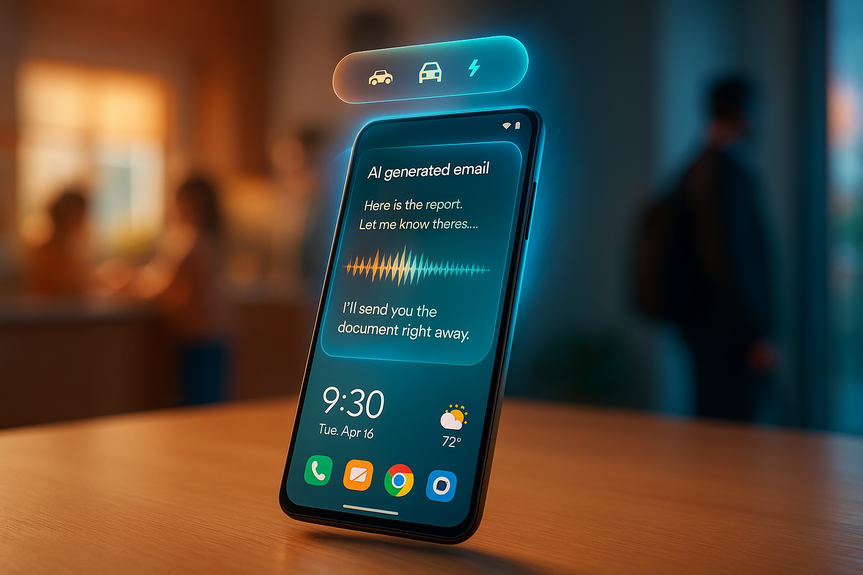
HyperIsland shows small, pill-shaped alerts near the top of the screen. It tracks rides, food deliveries, timers, calls, or charging speed in real time without opening apps.- Start a ride-hailing app, then lock the phone. Glance to see driver status and ETA.
- Order food, and check progress while you chat or browse.
- Plug in the charger to see current speed and time left.
HyperAI: write, summarize, and speak smarter
HyperAI makes writing and note-taking easier.- Change email tone from formal to friendly in one tap.
- Summarize long articles or on-screen text into key points.
- Record a lecture or voice note and get instant transcripts and short summaries.
- A student records a class, then gets a clean outline for revision.
- A shop owner replies to customers with clear, polished messages in seconds.
Faster feel, cleaner UI
You get smoother animations, updated widgets, and better multitasking performance. Scrolling feels snappier, and switching between calls, chats, and maps is easier, even on mid-range phones.Time-savers for daily life
- Busy families: Track rides, deliveries, and timers from HyperIsland while messaging.
- Students: Record lectures, auto-transcribe notes, and generate study summaries.
- Freelancers: Draft proposals and adjust tone to match client needs.
- Commuters: Keep an eye on ETAs and battery without leaving the current app.
- Remote workers: Summarize long emails and docs to act faster.
Privacy, storage, and battery tips
- Review app permissions after updating. Disable notification access for apps you don’t trust.
- Clear old downloads and large videos to keep performance smooth.
- Turn off always-on features you don’t need to save battery.
- Update key apps from the Play Store to ensure full compatibility with HyperOS 3.
Supported devices and rollout basics
Early models receiving the update include Xiaomi 14, Redmi Note 14 5G, Poco F7, and Xiaomi Pad 7, with more devices joining over time. The rollout is phased by country and carrier. If the update does not appear, wait a few days and check again. Expect a few early bugs; minor fixes usually arrive quickly.Troubleshooting common issues
Update not showing
- Reboot the phone, then check Settings > System update again.
- Ensure you have enough storage and a strong Wi‑Fi connection.
- Wait for your region’s wave. You can also monitor Xiaomi’s official channels for timelines.
Battery drains faster
- Give it 24–48 hours for indexing to finish.
- Disable background activity for rarely used apps.
- Lower screen brightness and limit high refresh rate if needed.
Lag or app crashes
- Update apps from the Play Store.
- Clear app cache for the affected app.
- Restart the phone. If issues persist, wait for a patch.
Who should update now?
Update now if you want better multitasking, live notifications, and AI writing tools. Creators, students, and small businesses will feel instant gains. If your phone has very low storage or critical work apps, prepare first and update during off-hours. Either way, the free upgrade helps extend your phone’s life and reduces the need to buy new hardware. HyperOS 3 turns your device into a smarter helper. With this HyperOS 3 Android 16 update guide, you can install safely, set up live notifications, and use AI to write, summarize, and work faster every day. If you follow the steps above, your phone will feel fresh without a new purchase. (Source: https://techgenyz.com/xiaomi-hyperos-3-update-android-16/) For more news: Click HereFAQ
Q: What is HyperOS 3 and which devices are eligible for the Android 16 update?
A: HyperOS 3 is Xiaomi’s Android 16 skin that brings smoother performance, cleaner visuals, and AI-powered tools to many Xiaomi, Redmi, and Poco devices. This HyperOS 3 Android 16 update guide lists early models such as the Xiaomi 14, Redmi Note 14 5G, Poco F7, and Xiaomi Pad 7 and explains that rollouts are phased by region and carrier.
Q: How should I prepare my phone before installing the update?
A: Back up photos, chats, and files to Google Drive or a computer, charge the phone to at least 50%, connect to stable Wi‑Fi, and free up 5–10 GB of storage to prevent install failures. Also note critical apps and logins and try to update during off-hours to avoid server congestion.
Q: How do I install the HyperOS 3 Android 16 update on my device?
A: Open Settings > About phone > System update, tap Check for updates, download HyperOS 3 when the OTA appears, and let the phone restart and finish setup without interrupting the process. If you don’t see the update yet, reboot, verify storage and Wi‑Fi, and wait a few days for your region’s staggered rollout.
Q: What are HyperIsland notifications and how do they help?
A: HyperIsland shows small, pill-shaped live alerts that display real-time info like ride or delivery ETAs, timers, calls, or charging speed without opening apps. To use it, start a ride-hailing or delivery app and lock the phone, then glance at HyperIsland to see driver status or progress while you continue other tasks.
Q: What can HyperAI do for emails, notes, and recordings?
A: HyperAI can change email tone from formal to friendly, summarize long articles or on-screen text into key points, and transcribe voice notes or lectures into instant transcripts and short summaries. These tools help students generate clean outlines and let small business owners craft polished replies quickly.
Q: Will HyperOS 3 affect battery life or performance right after updating?
A: HyperOS 3 aims to improve multitasking with smoother animations, updated widgets, and snappier scrolling, even on mid-range phones. You may see faster battery drain for 24–48 hours while the system indexes data; to reduce impact, disable background activity for rarely used apps, lower screen brightness, and limit high refresh rates.
Q: What post-update checks should I perform after installing HyperOS 3?
A: Review and adjust notification permissions so key apps can show live updates, open Notes, Mail, or AI features once to allow required permissions, and check battery settings to disable aggressive app sleep rules. Also update apps from the Play Store and clear old downloads or large videos to keep performance smooth.
Q: What should I do if the update isn’t showing or apps crash after updating?
A: If the update isn’t showing, reboot and check Settings > System update again, verify you have enough storage and a strong Wi‑Fi connection, and wait for your region’s rollout while monitoring Xiaomi’s official channels. For app crashes, update affected apps from the Play Store, clear the app cache, restart the phone, and expect minor fixes or patches to arrive if problems persist.
Contents