
AI News
02 Oct 2026
Read 9 min
Human-in-the-loop filmmaking: How to keep humans central
human-in-the-loop filmmaking keeps directors and actors central so AI amplifies creative control more.
Human-in-the-loop filmmaking keeps people at the center while using AI for speed and scale. At TheWrap’s TheGrill, creators like Eliza McNitt, Jason Zada, and Ori Winokur showed how real actors, smart pre-vis, and AI-enhanced post merge to cut costs, boost clarity, and protect performance.
At TheWrap’s TheGrill conference, filmmakers agreed on one thing: movies still need people up front and behind the camera. Writer-director Eliza McNitt, Secret Level’s Jason Zada, and Artlist’s Ori Winokur each showed how AI can help, but not replace, humans. Their stories make a clear case for a practical balance that respects performance and pushes craft.
Faster mood boards and lookbooks
Quick animatics to test pacing
Virtual location ideas before scouting
She still hired storyboard artists. AI just helped turn ideas into clear pictures that the crew could follow.
Relighting faces while keeping skin tones natural
Generating backgrounds that match the story world
Rough sound cleanup and temp music choices
Winokur stressed that people must direct these steps. Artists check outputs. Editors feel rhythm. Composers and music partners keep taste high. AI is a tool; taste is human.
Get consent to train or use any person’s image, voice, or work
Credit artists and actors for the parts they shape
Pay fairly when likeness or prior work informs the result
Script: Lock key beats. Mark scenes that could use set extension or safer alternatives (stunts, infants, crowds).
Lookbook: Use AI image tools to explore style, then refine with your production designer.
Storyboards + Animatics: Hire an artist, then test timing with quick cuts and AI previz shots.
Tech Scout: Pre-plan lighting and camera moves with virtual mockups.
Casting: Choose actors for presence and nuance. AI will not manufacture soul.
Shoot: Keep sets simple when you plan to extend them later. Light cleanly. Protect performances.
Post: Build or refine environments, relight subtly, and comp with care. Keep editors and VFX leads in the loop.
Sound + Music: Try AI-assisted temp tracks, but finish with human taste and licensed music where needed.
Review: Show cuts to your crew and adjust. Lock only when the human story is clear.
Lower risk on sensitive scenes (infants, stunts, crowds)
Clearer communication before shooting, which cuts reshoots
Faster iteration in post with human sign-off at each step
Bigger-looking worlds on smaller stages
New jobs and skills for artists who direct AI, not the other way around
Why real faces still matter
McNitt made a simple point: audiences connect to people. She argued that AI stand-ins should not replace human actors and even said we should “unplug” synthetic performers like the oft-cited “Tilly Norwood.” The goal is not to erase actors. It is to protect them and support their work. This is what human-in-the-loop filmmaking is about. It does not swap people for models. It uses AI to pre-visualize scenes, plan shots, and speed up post. The human voice, body, and choices still drive the story.Human-in-the-loop filmmaking in action
Pre-production: clarity before the shoot
McNitt used AI to plan her short film “Ancestra.” She built proofs of concept and visual maps to share intent with her team. That meant:Production: actors first, AI as set extender
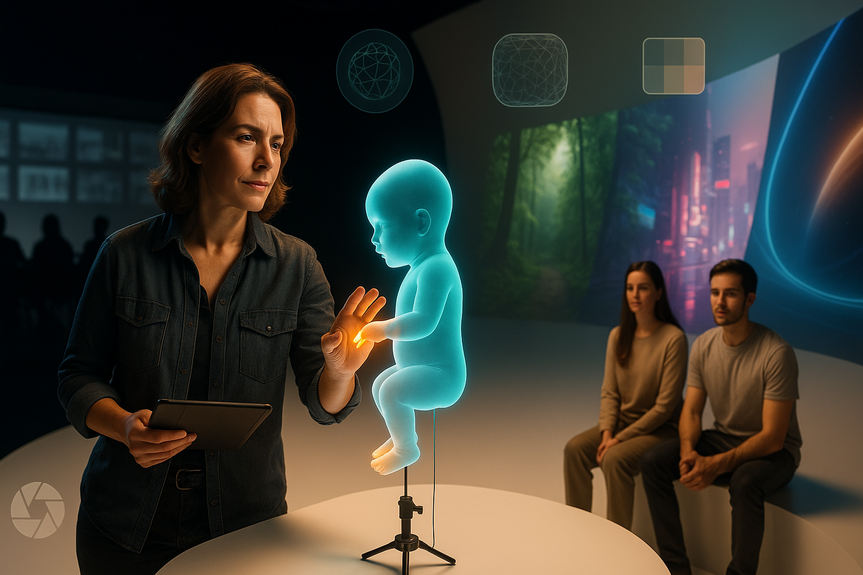
For a newborn scene, McNitt faced tight rules and risk on set. She fed her own baby photos into AI with a major tech partner to create a safe, realistic digital infant that looked like her child. It kept the scene human and personal, and it reduced stress on set. Zada’s “Terrarium” used a different trick. He shot SAG actors on a plain white cyc. Then he built vivid worlds around them with AI-generated environments. Because the actors were lit cleanly, he could change camera angles and relight in post while keeping their real performances. The result: big-screen scope from small-footprint shoots.Post-production: speed without shortcuts
When the team knows the plan, post moves faster. AI can help with:Guardrails that keep film human
Credit, consent, and pay
Human-in-the-loop filmmaking works only with firm rules:Transparency with crews and audiences
Tell your team what tools you will use and why. Share how AI supports safety, cost, or vision. For audiences, be open in press notes or featurettes. Trust grows when people know what was real, what was simulated, and what was guided by artists.A simple workflow you can try on your next shoot
The business case: save time, not soul
Studios that try human-in-the-loop filmmaking often see gains without losing heart. Benefits include:Collaboration is the point
Winokur put it well: AI does not turn film into a one-person job. It invites new kinds of teamwork. Directors still set vision. Actors deliver truth. Designers, editors, and VFX artists shape the world around them. The loop is the feature, not a bug. Great films feel alive because people make choices at every turn. Human-in-the-loop filmmaking gives those people faster tools and safer options while keeping faces, voices, and intent human. If we protect consent, credit, and craft, we can scale the art without losing the heart. In the end, human-in-the-loop filmmaking is not a trend. It is a promise: humans lead, machines assist, and stories stay real. (Source: https://www.thewrap.com/creative-content/movies/ai-filmmakers-humans-need-to-be-involved-the-grill/) For more news: Click HereFAQ
Q: What is human-in-the-loop filmmaking?
A: Human-in-the-loop filmmaking keeps people at the center while using AI for speed and scale. It uses AI for pre-visualization, planning, and post-production assistance while humans direct performances and make final creative decisions.
Q: Why do filmmakers insist on using real actors instead of synthetic performers?
A: Filmmakers argue that audiences connect to real human faces and performances, so synthetic stand-ins should not replace actors. Eliza McNitt explicitly said we should “unplug Tilly Norwood” to protect human performance and keep stories centered on people.
Q: How did Eliza McNitt use AI in her film “Ancestra”?
A: McNitt used AI to build proofs of concept, visual maps, and previsualizations that helped communicate her vision and plan scenes. For a newborn scene she fed her own baby photos into an AI with a tech partner to create a realistic digital infant that looked like her, keeping the moment personal and safer for production.
Q: What pre-production tasks can AI speed up in a human-in-the-loop workflow?
A: In human-in-the-loop filmmaking, AI can speed up mood boards, quick animatics, and virtual location ideas so directors can communicate their intent more clearly. These tools create clear proofs of concept that human storyboard artists and designers then refine.
Q: How did Jason Zada use AI on the production of “Terrarium”?
A: Zada shot live-action SAG actors on a simple white cyc and used AI to generate vivid environments around them, expanding visual scope. Because the actors were lit cleanly on set, the team could move cameras and relight in post while preserving real performances.
Q: What guardrails should productions follow when using AI tools on set?
A: In human-in-the-loop filmmaking, productions should get consent to train or use any person’s image, voice, or work, credit artists and actors for what they shape, and pay fairly when likeness or prior work informs results. They should also be transparent with crews and audiences about what was real, what was simulated, and what was guided by artists.
Q: What post-production roles does AI assist with, and who must oversee those steps?
A: AI can help with relighting faces while keeping skin tones natural, generating backgrounds, and doing rough sound cleanup or temp music choices. Artists, editors, composers, and directors must oversee and sign off on those outputs to protect taste and rhythm.
Q: What practical workflow can filmmakers try to balance AI assistance with human control?
A: A recommended workflow includes locking key script beats, marking scenes for set extension or safer alternatives, using AI to explore lookbooks, and hiring artists for storyboards and animatics to test pacing. On shoot and in post, cast for presence, keep sets simple when planning extensions, use AI for environment building and temp tracks, and always review cuts with the crew before locking.
Contents





