AI News
19 Feb 2026
Read 16 min
Master LangGraph Streamlit human-in-the-loop guide
LangGraph Streamlit human-in-the-loop guide lets you pause agents, review plans and run tools safely.
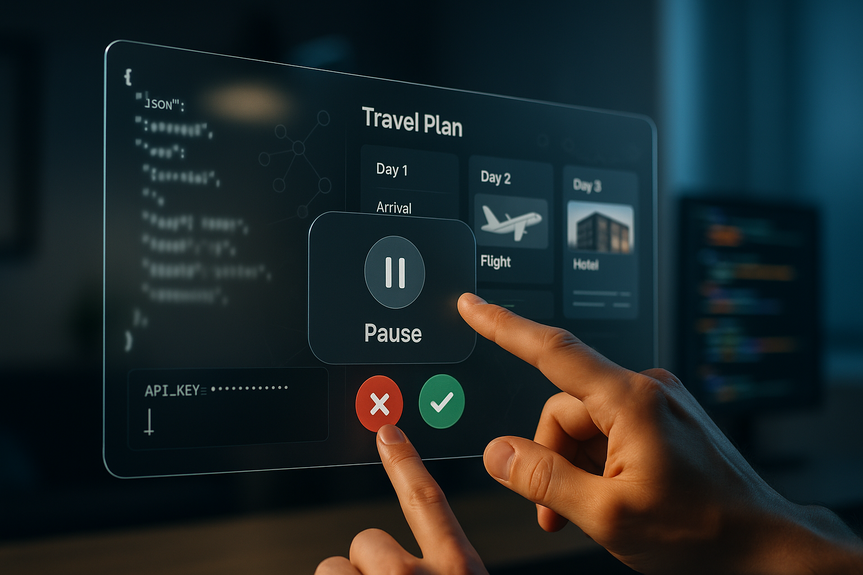
Use this LangGraph Streamlit human-in-the-loop guide to build an AI travel agent that plans first, pauses for your approval, and only then runs tools. You see a clear JSON plan, edit it in a friendly UI, and approve or reject each step. This flow boosts safety, trust, and speed without losing control.
Modern AI agents can act fast, but speed without control is risky. A better pattern is “plan, pause, approve, execute.” In this walkthrough, you will learn how to pair LangGraph interrupts with a Streamlit app so the agent proposes a plan, stops, and waits for you to approve before any tool runs. The result is an agent that shows its work, invites edits, and earns your trust.
Collects a user request like “Two travelers from NYC to Lisbon in May, budget $2,000.”
Asks an LLM to produce a structured travel plan that follows a strict schema.
Interrupts the workflow and shows the plan in a Streamlit UI for approval.
Executes safe, auditable tool stubs for flights, hotels, and itinerary only after approval.
Required components:
LangGraph for graph-based agent orchestration and interrupts.
Streamlit for a simple, responsive web UI.
Pydantic to define and validate the TravelPlan schema.
OpenAI API to generate the plan (the example uses the Responses API and a model like gpt-4.1-mini).
Optional: localtunnel or similar to share the app URL in one command.
This setup is the core of a practical LangGraph Streamlit human-in-the-loop guide: clear logic, safe defaults, and a UI that gives people the last word.
trip_title, origin, destination, depart_date, return_date
travelers, budget_usd, preferences, vibe, lodging_nights
daily_outline for a high-level itinerary
tool_calls as a list of planned actions (with name and args)
This schema creates a contract. The model must return data you can validate. If something is missing or malformed, you catch it early.
A system prompt that says: You are a travel planning agent. Return JSON that matches the schema. Include a tool_calls list.
The user’s trip request.
The JSON schema itself to nudge the model into exact shape.
Extract the JSON from the LLM output. Validate it against the Pydantic model. If it fails, you can retry or ask for corrections.
search_flights with origin, destination, dates, and budget.
search_hotels with city, nights, budget share, and preferences.
draft_itinerary with city, days, and vibe.
This keeps the agent robust. There is always a next step to execute once approval is given.
make_llm_plan: Build the draft plan using the LLM and schema.
wait_for_approval: Interrupt and hand the plan to the UI.
execute_tools: Run tools only if the user approved.
Wire START → make_llm_plan → wait_for_approval → execute_tools → END. Use InMemorySaver to persist state per thread. This keeps conversations consistent across UI interactions.
kind: “approval”
message: instructions like “Review/edit the plan. Approve to execute tools.”
plan: the proposed plan dictionary
The graph pauses. It returns this payload to the Streamlit app. The app renders the plan, lets users edit fields, and asks for a decision.
approved: true or false
edited_plan: present if the user made changes
If approval is false, the system reports no execution and stops. If approval is true, the system proceeds to execute_tools with the final plan.
Trip basics: title, origin, destination, dates, travelers, budget.
Preferences and vibe: simple chips or checkboxes.
Tool calls: a table where each row is a planned action with its arguments.
Daily outline: a compact view to spot gaps.
Let users make quick edits. Keep copy, paste, and reset simple. A clean form reduces friction.
Approve and run tools.
Reject and stop.
When users approve, resume the graph. After execution, show the tool results next to the plan. Include clear labels like “Flights,” “Hotels,” and “Itinerary.” Make it easy to compare options and follow the agent’s path.
Secrets management: Do not hardcode API keys. Use environment variables or a vault.
PII care: Treat names, emails, and payment info with strict controls. Mask logs. Apply role-based access.
Rate limits: Add retries with backoff for API calls. Cache stable results like city guides.
Idempotency: Assign unique IDs to tool calls. Prevent duplicate bookings if a user double-clicks Approve.
Observability: Log each node’s input, output, and duration. Keep a trace ID per session.
Versioning: Pin model, schema, and tool versions. Track changes so you can reproduce plans.
Schema evolution: Write migrations when you add or rename fields. Provide default values to avoid runtime breaks.
Tool governance: Maintain an allow list and a policy per environment (dev, staging, prod).
UI clarity: Use summaries before details. Show “what will happen next” at each step.
Accessibility: Support keyboard navigation and high-contrast themes.
Testing: Unit-test tools. Contract-test the LLM JSON. Simulate interrupts and resume flows.
Finance: Plan a budget change, pause, and only then update ledgers.
Healthcare ops: Draft a triage plan, have a clinician approve, and then schedule or route tasks.
DevOps: Propose an infra change, wait for a human sign-off, and then apply Terraform steps.
Procurement: Suggest vendors and quotes, get manager approval, then create purchase orders.
Sales: Draft a quote, confirm terms with legal, then send it to the client.
Legal ops: Outline edits to a contract, wait for counsel confirmation, then push tracked changes.
Everywhere you expect precision, the same blueprint works: plan with structure, pause with an interrupt, execute with guardrails.
Approval rate: How often users approve on the first try.
Time to approval: How long it takes from plan ready to approve click.
Correction depth: Number of fields edited before approval.
Tool success rate: Share of tool calls that ran without error.
User trust signals: Comments, re-approvals, and return visits.
Near-miss detection: Cases where the user rejection prevented a bad action.
These numbers show if your agent is helpful, safe, and fast. Use them to tune prompts, schemas, and UI.
Containerize the app and the LangGraph worker.
Use a secrets store and cloud logging.
Add a message queue if you need retries or long-running tools.
Set up CI/CD to test and release schema and tool changes together.
Keep dev, staging, and prod separate. Run synthetic sessions in staging before new releases. Roll forward fast if a plan or tool change causes errors.
Visible reasoning: The agent outputs a validated JSON plan, not vague prose.
Explicit consent: Nothing executes without the user’s approval.
Safety by default: Unknown tools are blocked. Inputs and outputs are auditable.
Fast collaboration: Edits happen in the UI. The graph resumes right away.
Reusability: The same nodes and schema ideas carry over to other domains.
This is the heart of a practical LangGraph Streamlit human-in-the-loop guide: structure over guesswork, consent over surprise, clarity over opacity.
The travel example may look simple, but the ideas are strong. A strict schema keeps plans clean. An interrupt gives users control at the right time. Safe tools make results predictable. Put them together, and you get agents that think with you, not for you.
A final word: start small. Ship the planning node first. Add the approval screen. Then connect one safe tool. Measure. Improve. As your team’s trust grows, you can add richer tools, better prompts, and stronger policies. The pattern will hold.
In short, if you want useful automation people actually trust, use this LangGraph Streamlit human-in-the-loop guide. Plan first, pause for approval, then execute with guardrails.
(Source: https://www.marktechpost.com/2026/02/16/how-to-build-human-in-the-loop-plan-and-execute-ai-agents-with-explicit-user-approval-using-langgraph-and-streamlit/)
For more news: Click Here
Why keeping a human in the loop makes agents better
The risk of opaque autonomy
Most agents plan and act in one go. The reasoning stays hidden. If the model makes a wrong assumption, it can book the wrong flight or fetch the wrong data. You see the result after it is too late.The approval checkpoint
By separating planning from execution, you bring clarity. The agent drafts a structured plan. It then pauses. You review the proposal, adjust details, and click approve. Only then can tools run. This small pause changes the user experience. You gain control. The agent stays fast but safe.What you will build and the tools you need
You will build a travel planner that:Build the planning brain with a strict schema
Constrain outputs with Pydantic
Free-form text is hard to trust and hard to execute. Define a TravelPlan model with Pydantic. Include fields such as:Use an LLM to draft the plan
Call the OpenAI Responses API with:Guarantee a complete path with tool_calls
If the tool_calls list is empty, inject defaults:LangGraph Streamlit human-in-the-loop guide: approval and interrupts
Model your workflow as a graph
Create a LangGraph StateGraph with three nodes:Interrupt mechanics
In wait_for_approval, call interrupt with a payload that includes:Approval first, then action
When the user clicks approve, resume the graph with a decision payload:Execute with safe, auditable tools
Flight search stub
Use a deterministic function that returns a few flight options computed from budget, origin, destination, and dates. Sort by price. Return only the top options. This simulates a real API but stays controllable and testable.Hotel search stub
Calculate a base nightly rate from budget and nights. Offer a few realistic choices. If “luxury” appears in preferences, sort by higher price. Otherwise, sort by lower price. Return two options for clarity.Itinerary builder
Build a simple day-by-day plan. For each day, suggest a morning landmark, an afternoon activity that matches the vibe, and an evening spot. Return a clean structure that downstream systems can use.Block unknown tools
If a tool name is not in the allow list, do not run it. Return an error entry instead. This stops prompt injection from triggering unsafe calls.Streamlit UI that invites collaboration
Keep state and identity stable
Use a thread or session identifier to store graph state. InMemorySaver can handle this in development. Every time the user returns or refreshes, the app picks up where it left off.Show the plan, not just text
Render the TravelPlan as editable fields and sections:Make approval a clear, one-click action
Place two buttons:Production tips and pitfalls
From travel to any high-stakes workflow
This pattern scales well because approval is a universal control. Replace the stubs with your domain tools:Measure what matters
Track a few simple metrics:Deploy with confidence
For a quick demo, you can serve the Streamlit app locally and expose it with localtunnel. For production:What makes this pattern work
FAQ
Q: What is the LangGraph Streamlit human-in-the-loop guide about?
A: This LangGraph Streamlit human-in-the-loop guide shows how to build a travel-booking AI agent that drafts a structured JSON travel plan, pauses for human review and edits, and only runs tools after explicit approval. It demonstrates combining LangGraph interrupts with a Streamlit frontend to make agent reasoning visible, controllable, and auditable.
Q: Why keep a human in the loop when building AI agents?
A: Keeping a human in the loop prevents opaque autonomy from causing wrong actions by surfacing the agent’s planned reasoning before anything executes. The plan-pause-approve-execute pattern increases safety, trust, and user control while preserving agent speed.
Q: What components do I need to follow this guide?
A: The article lists LangGraph for graph-based orchestration and interrupts, Streamlit for the UI, Pydantic for the TravelPlan schema and validation, and the OpenAI Responses API to generate plans, with optional tools like localtunnel to share the app. The example also uses deterministic tool stubs for flights, hotels, and itineraries so you can test the flow locally.
Q: How does the TravelPlan schema improve reliability?
A: Defining a TravelPlan with Pydantic creates a strict JSON contract (fields like trip_title, origin, destination, dates, travelers, budget, preferences, daily_outline, and tool_calls) so the app can validate model output and catch missing or malformed data early. That structure makes plans auditable and easier to edit in the UI before execution.
Q: How do LangGraph interrupts and Streamlit work together for approval?
A: In the workflow the LangGraph node wait_for_approval calls interrupt with a payload containing kind, message, and the proposed plan, which pauses the graph and returns the plan to the Streamlit app. The Streamlit UI renders editable fields and provides approve/reject buttons, and the graph resumes with the user’s decision.
Q: What happens when a user approves or edits a plan in the UI?
A: If the user approves, the graph resumes to execute_tools which runs only allowed, auditable tool stubs (for example search_flights, search_hotels, draft_itinerary) and returns structured tool results alongside the final plan. If the user rejects, the execution node reports the plan as not executed and stops, preventing tools from running without consent.
Q: How does the guide recommend handling unknown or unsafe tool calls?
A: The execution logic blocks any tool not on the allow list and returns an error entry for unknown tools, which stops prompt-injected or unexpected calls from running. This default-deny approach is part of the guide’s safety-by-default design and keeps outputs auditable.
Q: What production practices and metrics does the guide suggest for safe deployment?
A: The article recommends secrets management (no hardcoded API keys), PII protections, retries with backoff for rate limits, idempotency for tool calls, observability with trace IDs, versioning and separate dev/staging/prod environments, and containerized deployment with CI/CD. It also advises tracking metrics like approval rate, time-to-approval, correction depth, tool success rate, and near-miss detections to measure trust and safety.
Contents