AI News
05 May 2026
Read 10 min
Meta ads AI connectors guide: How to unlock ad scale
Meta ads AI connectors guide helps advertisers use third-party AI to speed testing and scale ads now
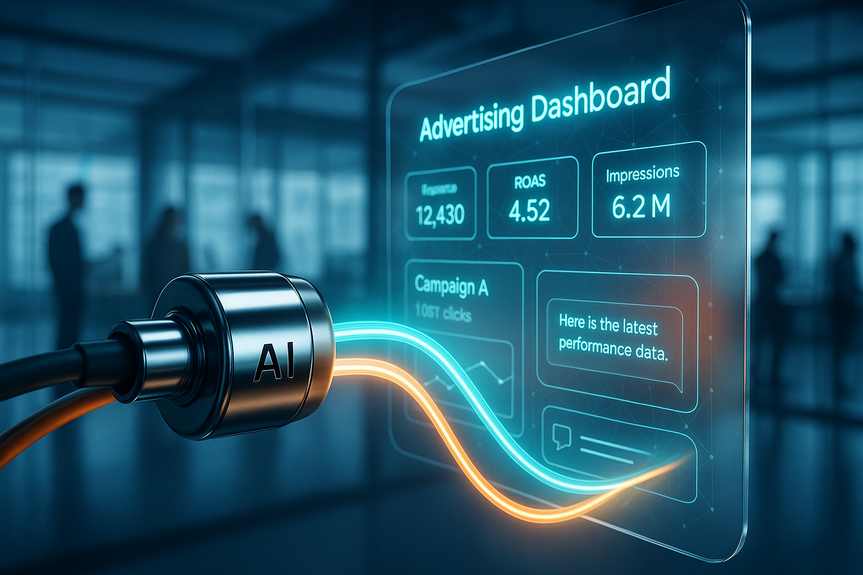
Meta ads AI connectors guide: Meta now lets advertisers plug trusted third-party AI tools like ChatGPT and Claude directly into their ad accounts. This open beta promises faster creative testing, real-time insights, and smoother campaign workflows. It may not replace Meta’s own optimization, but it can speed scale and improve oversight.
Meta surprised many by opening its ad stack to outside AI. The new AI connectors create a secure link between a Meta ad account and supported tools that use Model Context Protocol (MCP). Early partners include popular AI assistants, and Meta plans to add more over time. For busy teams, this could remove manual steps that slow down testing, reporting, and creative refreshes.
Pull cross-channel insights to compare Meta with other platforms
Generate copy, creative ideas, and variants faster
Create and adjust campaigns without leaving your AI workspace
Automate reporting and QA checklists
Confirm eligibility: Your ad account and the AI tool plan must support the connector.
Align goals: Pick 1–2 use cases to pilot (e.g., creative testing, automated reports).
Set guardrails: Decide what the AI can read, write, and change.
Authorize the connector from within your AI tool or via Meta’s flow.
Scope permissions to read-only first; expand to write access after testing.
Map naming conventions so the AI outputs match your account structure.
Run a two-week creative iteration sprint in one campaign.
Compare results and time saved vs. your current process.
Scale to more ad sets and add automated reporting if results look good.
Require approvals for any budget, bid, or audience changes.
Let AI propose; let humans decide on rollouts and pauses.
Creative ideas, copy variants, hooks, and CTAs
QA checks for policy issues and broken links
Daily performance summaries with clear next steps
Time saved per task and per campaign
Number of creative tests shipped per week
Lift in CTR, CPA, ROAS from faster iteration
Using official connectors and verified integrations
Limiting write permissions until trust is earned
Keeping clear logs of AI-generated changes
Reviewing Meta policy compliance before publishing
Generate 10–20 copy angles tied to audience pain points
Translate top performers for new markets
Refresh hooks weekly without burning the team out
Draft dynamic headlines based on product catalog fields
Add seasonal or geo-specific benefits fast
Rotate value props based on recent performance
Pull insights from search and short-form video to inspire Meta ads
Standardize test structures across platforms
Roll proven winners into Meta quickly
AI: drafts ideas, compiles insights, proposes actions
Human: sets goals, approves changes, mentors the model
Meta: optimizes delivery, auctions, and learning
Daily: AI produces performance notes and flags risks
Twice weekly: creative swaps based on data
Weekly: structured review of tests, costs, and next bets
If outputs feel generic: feed the AI your brand voice, past winners, and disallowed phrases.
If tests stall: reduce variables; change one element per test.
If spend swings: cap AI-driven changes; require manual approvals for budgets and bids.
If policy rejections spike: run an AI-powered pre-check against Meta ad policies before publishing.
The bottom line: The Meta ads AI connectors guide is about speed without losing control. Let AI handle the busywork, ship more tests, and learn faster, while Meta’s algorithm does the heavy lifting on delivery. Start small, keep human approvals, and scale what saves time and lifts results.
Meta ads AI connectors guide: What’s new and why it matters
Meta historically kept advertisers inside its own products. Now, the company is allowing direct connections to outside AI so teams can work in the tools they already use. This shift meets marketers where they are, reduces switching costs, and keeps campaigns running on Meta while workflows expand.How the connectors work
Secure, direct access
The connector creates a secure bridge between your Meta ad account and a supported AI tool. You can send and retrieve campaign data without exporting CSVs or copying settings by hand.Supported assistants and scope
At launch, assistants that support MCP—like ChatGPT and Claude—can connect. Availability may depend on your plan with those tools. Expect more platforms to join as the beta grows.What you can do today
Benefits you can bank on (and limits to watch)
Real workflow gains
Advertisers say Meta can feel very manual at scale. Connecting AI can compress tasks that take hours into minutes. That means faster creative refresh, quicker learning cycles, and less context-switching.Faster scale and better oversight
Teams can test more angles, feed real-time personalization, and keep stronger QA. You can move from idea to live test sooner, then prune losers and back winners based on fresh data.Optimization still belongs to Meta
Meta’s own algorithm still drives delivery and bidding. Use the connector for analysis, creative iteration, and orchestration. Do not expect a third-party AI to beat Meta at its own optimization logic—at least not yet.Step-by-step: Getting started
Before you connect
Initial setup
Pilot and expand
Best practices for safe speed
Keep humans in the loop
Focus on high-impact, low-risk tasks first
Measure the right wins
Protect your account
Online chatter has linked some third-party tools to account restrictions, though no official connection is confirmed. Reduce risk by:Where this move fits in Meta’s bigger picture
Open… and still a lock-in
Allowing outside AI keeps advertisers happy while keeping spend on Meta. It is more open than before, but the center of gravity remains Meta’s delivery system.Strategic timing
The shift comes as Meta faces questions around a Chinese-founded AI agent acquisition and regulatory pressure abroad. Opening the door to third-party AI helps counter the image of a closed system and shows goodwill to enterprise workflows.Use cases that unlock scale now
Creative iteration at speed
Real-time personalization
Cross-channel learning loops
A simple operating model
Roles and rules
Cadence
Troubleshooting tips
(Source: https://digiday.com/marketing/meta-opens-its-ad-ecosystem-to-third-party-ai-tools/)
For more news: Click Here
FAQ
Q: What are Meta ads AI connectors and how do they work?
A: The Meta ads AI connectors guide explains that the connectors create a secure, direct link between a Meta ad account and supported third-party AI tools so advertisers can send and retrieve campaign data without manual exports. They enable cross-channel insights, campaign management, and faster creative testing while keeping Meta as the delivery layer.
Q: Which AI tools and protocols are supported at launch?
A: At launch the connectors support AI assistants that use Model Context Protocol (MCP), including ChatGPT and Claude, and Meta plans to add more platforms over time. Availability for a given advertiser may depend on the plan they have with those third-party tools.
Q: What benefits can advertisers expect from using the connectors?
A: Advertisers can expect faster creative testing, real-time insights, and smoother workflows that reduce manual steps and accelerate iteration. Teams report these gains can save time, enable rapid testing and personalization, and improve oversight and QA.
Q: Will third‑party AI handle delivery and bidding on Meta ads?
A: No, Meta’s own algorithm remains responsible for delivery and bidding and continues to drive performance optimization. Third‑party AI via the connector is intended for analysis, creative iteration, orchestration, and suggestions rather than replacing Meta’s optimization.
Q: How do I get started and what initial setup steps should I follow?
A: Before connecting, confirm your ad account and AI tool plan are eligible, align on 1–2 pilot use cases, and set guardrails for what the AI can read, write, and change. Authorize the connector from your AI tool or Meta’s flow, start with read‑only permissions, map naming conventions, and run a short pilot such as a two‑week creative iteration sprint before scaling.
Q: What best practices should teams follow to keep control and reduce risk?
A: Keep humans in the loop by requiring approvals for any budget, bid, or audience changes and let AI propose while humans decide rollouts and pauses. Limit write permissions until trust is earned, keep clear logs of AI‑generated changes, and focus the connector on high‑impact, low‑risk tasks like creative variants and QA checks.
Q: What troubleshooting steps help if AI outputs feel generic or tests stall?
A: If outputs feel generic, feed the AI your brand voice, past winners, and disallowed phrases, and if tests stall reduce variables and change one element per test. If spend swings or policy rejections occur, cap AI‑driven changes, require manual approvals for budgets and bids, and run an AI‑powered pre‑check against Meta ad policies before publishing.
Q: Are there risks of account restrictions when using third‑party AI tools?
A: There has been online chatter linking some third‑party tools to account restrictions, but no official connection has been confirmed. To reduce risk use official connectors and verified integrations, limit write permissions until trust is earned, keep clear logs of AI changes, and review Meta policy compliance before publishing.
Contents