AI News
03 Mar 2026
Read 10 min
How to fix HTTP 407 download error in 5 steps
Fix HTTP 407 download error quickly to restore page downloads safely and resolve proxy auth failures.
Seeing “407 Proxy Authentication Required” during a download means a proxy sits between you and the site, and it needs valid sign-in details. Follow these five quick steps to fix HTTP 407 download error: confirm it is the proxy, correct proxy settings, add your credentials, bypass for trusted sites, and check VPN or security tools.
A 407 happens when a proxy server blocks a request until you authenticate. Many offices, schools, and hotels use proxies to control traffic. Unlike a 401 (which comes from the website), a 407 comes from the proxy in your network path. The good news: you can solve it fast with a few checks.
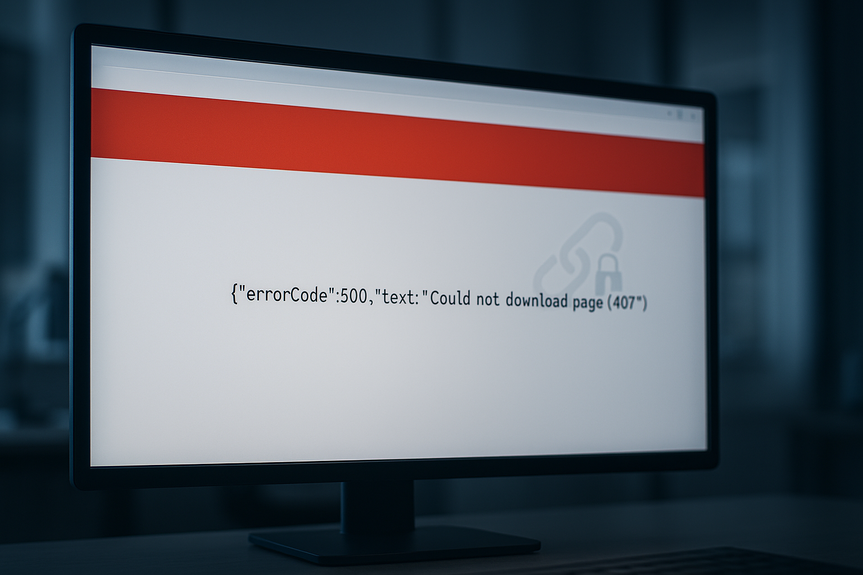
Read the full message. Look for “Proxy Authentication Required” or a proxy host and port.
Try another network (mobile hotspot or home Wi‑Fi). If it works there, your current network’s proxy is the blocker.
Test without a proxy if allowed. For example, in a browser’s proxy settings, turn off the proxy briefly and reload.
Command line check: curl -I https://example.com to see response headers. If a proxy is used, you may see Proxy-Authenticate headers.
Windows: Settings > Network & Internet > Proxy (or Internet Options > Connections > LAN settings). Verify the proxy address/port. Turn off any wrong “Use a proxy server” toggle.
macOS: System Settings > Network > select your network > Details > Proxies. Uncheck wrong entries, or correct the Auto Proxy (PAC) URL.
Linux: Check environment variables in your shell profile. Remove or correct HTTP_PROXY, HTTPS_PROXY, and set NO_PROXY for sites that should skip the proxy.
Browser: In Chrome/Edge, open proxy via system settings. In Firefox, check Settings > Network Settings and choose “Use system proxy” or “No proxy” as needed.
Apps and tools: Some apps store their own proxy. Check their network or update settings.
These fixes often help you fix HTTP 407 download error when a stale or wrong proxy host stays in your system.
Browser: When prompted, enter your network username and password. If your company uses SSO, sign in through the pop-up or page.
curl/wget: Include credentials only if approved by your IT. Example: curl –proxy http://user:pass@proxy.company:8080 https://example.com
npm: npm config set proxy http://user:pass@proxy:8080 and npm config set https-proxy http://user:pass@proxy:8080
pip: pip install –proxy http://user:pass@proxy:8080 package-name or set HTTP_PROXY/HTTPS_PROXY env vars.
git: git config –global http.proxy http://user:pass@proxy:8080
Enterprise proxies: Some require NTLM/Kerberos. Use tools that support those methods or connect through your corporate VPN.
Supplying valid credentials or the right auth method can quickly fix HTTP 407 download error for both browsers and CLI tools.
System “Exceptions” or “Bypass” list: Add domains you trust (like your CDN or package registry) so they skip the proxy.
NO_PROXY: Set NO_PROXY=localhost,127.0.0.1,.yourdomain.com to avoid proxying local or internal sites.
PAC file: Ask IT to update the PAC logic to send only needed traffic through the proxy, or to allowlist the download host.
Security suite portal: Some services block large files. Request an allowlist for your download domain if business‑critical.
VPN: Connect to the company VPN if required. Some proxies only trust traffic from the VPN.
Security agents: Tools like Zscaler, Blue Coat/Symantec, or Netskope may act as proxies. Open their app, sign in, or refresh your session.
Captive portals: On hotel or guest Wi‑Fi, open a new tab to trigger the login page, accept terms, then retry the download.
Reset: Clear saved proxy credentials, restart your browser or app, and try again. On Windows, run “netsh winhttp reset proxy” if WinHTTP is mis-set (admin rights needed).
Wrong proxy address or port after a network change
Expired or mistyped proxy credentials
Proxy that requires NTLM/Kerberos but the client uses basic auth
PAC file errors that send all traffic through a dead proxy
Security gateway blocking file types or large downloads
Keep your device time correct. Some SSO tokens fail if the clock is off.
Use system proxy settings so all apps inherit the same, correct config.
Avoid storing plain-text passwords in configs. Prefer secure keychains or SSO.
Document NO_PROXY domains for internal tools and package registries.
Coordinate with IT before major network or VPN changes.
If you follow the five steps, you should be able to fix HTTP 407 download error quickly and get back to work. Confirm the proxy, correct the settings, authenticate, bypass where safe, and check VPN or security tools. When in doubt, share the exact error and proxy details with your IT team for fast help.
Five steps to fix HTTP 407 download error
Step 1: Confirm the proxy is the cause
Step 2: Fix or remove bad proxy settings
Step 3: Authenticate with the proxy correctly
Step 4: Bypass or allowlist trusted destinations
Step 5: Check VPNs, security tools, and captive portals
What causes a 407 and how to prevent it
Common triggers
Prevention tips
(Source: https://arstechnica.com/ai/2026/02/block-lays-off-40-of-workforce-as-it-goes-all-in-on-ai-tools/)
For more news: Click Here
FAQ
Q: What does “407 Proxy Authentication Required” mean?
A: A 407 means a proxy server between you and the site is blocking the request until you authenticate. Unlike a 401 which comes from the website, a 407 is returned by the proxy and is common on office, school, and hotel networks.
Q: How can I confirm the proxy is the cause of the download error?
A: Read the full message for “Proxy Authentication Required” or a proxy host and port, and try another network such as a mobile hotspot or home Wi-Fi to see if the download succeeds. You can also briefly disable the proxy in your browser or run curl -I https://example.com to inspect response headers for Proxy-Authenticate.
Q: How do I fix or remove wrong proxy settings on my computer?
A: On Windows go to Settings > Network & Internet > Proxy or Internet Options > Connections > LAN settings to verify the proxy address/port and turn off any incorrect “Use a proxy server” toggle. On macOS check System Settings > Network > Details > Proxies and correct the Auto Proxy (PAC) URL, and on Linux check HTTP_PROXY/HTTPS_PROXY environment variables and set NO_PROXY for sites that should skip the proxy.
Q: How do I authenticate with a proxy for command-line tools and package managers?
A: When prompted in a browser, enter your network username and password or sign in via SSO as required, and for CLI tools use the examples given such as curl –proxy http://user:pass@proxy.company:8080, npm config set proxy http://user:pass@proxy:8080, pip install –proxy http://user:pass@proxy:8080, or git config –global http.proxy http://user:pass@proxy:8080. For enterprise proxies that require NTLM/Kerberos, use tools that support those methods or connect through your corporate VPN.
Q: When should I bypass or allowlist destinations to avoid a 407?
A: Add trusted domains to the system “Exceptions” or NO_PROXY (for example NO_PROXY=localhost,127.0.0.1,.yourdomain.com) or ask IT to update the PAC file so only needed traffic goes through the proxy and trusted download hosts are allowlisted. This prevents those hosts from being proxied and can help fix HTTP 407 download error for trusted sources.
Q: Can VPNs or security agents cause a 407 error and how do I check them?
A: Yes, VPNs and security agents like Zscaler, Blue Coat/Symantec, or Netskope may act as proxies and require you to sign in or refresh a session before downloads succeed. Connect to the required corporate VPN, open or refresh the security app, or complete any captive-portal login and then retry the download.
Q: What are common triggers of a 407 and how can I prevent them?
A: Common triggers include a wrong proxy address or port after a network change, expired or mistyped proxy credentials, a proxy requiring NTLM/Kerberos while the client uses basic auth, PAC file errors that send all traffic through a dead proxy, or security gateways blocking file types or large downloads. Preventative steps include keeping device time correct, using system proxy settings so apps inherit the correct config, avoiding plain-text passwords in configs, documenting NO_PROXY domains, and coordinating with IT before network or VPN changes.
Q: When should I contact IT for help fixing a 407 error?
A: Contact IT if you can’t identify the proxy, lack valid credentials, need enterprise authentication methods configured, or if PAC file or security gateway changes are required, and be ready to share the exact error and proxy details for faster help. IT can update allowlists, adjust PAC logic, or advise on VPN and security tools to help you fix HTTP 407 download error.
Contents