AI News
20 Jun 2026
Read 9 min
Epic Games generative AI concept art: How to catch AI errors
Epic Games generative AI concept art speeds the design and helps artists detect and remove AI errors.
Epic Games generative AI concept art now speeds up early design but can also add odd mistakes. Epic shows AI turning sketches into quick 3D-like images and scene variations, while artists fix flaws. Use the simple checks below to catch extra digits, broken lighting, and messy textures before anything ships. Keep style and story clear.
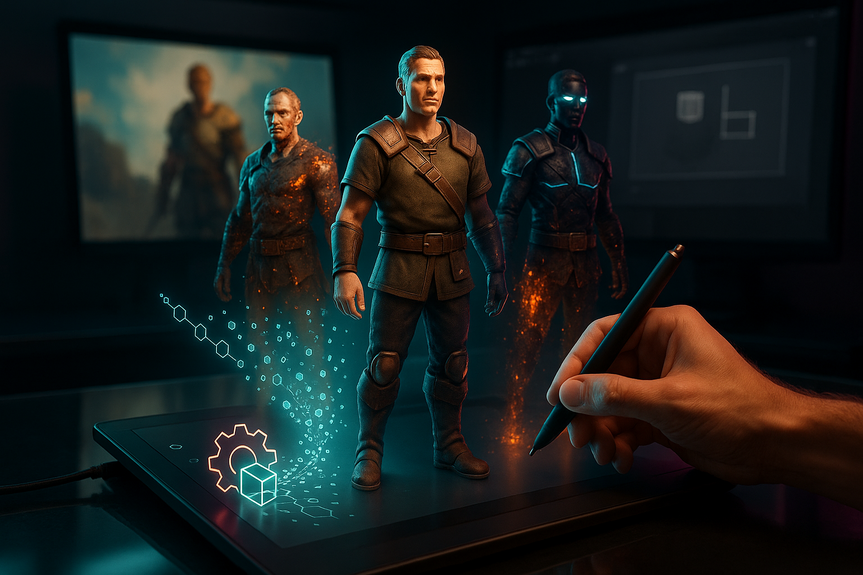
Epic’s latest behind-the-scenes video shows how Fortnite skins and locations move from hand-drawn ideas to refined concept images. Artists start by sketching. They block out shapes in 3D. Then they use AI prompts to test variants like time of day or damage from a meteor. The team stresses that humans lead. AI helps explore. It does not replace design.
Speed: AI turns a solid sketch into a more finished concept fast, so artists can spend more time on taste and detail.
Variation: One prompt can make day/night, clean/damaged, or different mood passes in seconds.
Reference: 3D blockouts in Blender give correct perspective; AI paintovers test materials and lighting ideas.
Intent: Artists set the theme, silhouette, and story beats first. AI should follow that plan.
Quality: AI can add errors. Artists run reviews to fix them before anything enters production.
Originality: Teams track sources and prompts to protect style and provenance.
Epic highlights a simple rule: design first, AI second. The team keeps Epic Games generative AI concept art in the concept stage. Final game assets still come from proper modeling, texturing, and in-engine work.
Hands and feet: Count fingers and toes. Watch for fused digits, extra nails, or warped joints.
Faces: Check eyes for symmetry, eyelids for clean edges, and teeth for even spacing.
Silhouette: View the character as a black shape. Look for stray strands, gaps, or floating parts.
Straps and seams: Follow each strap end-to-end. Make sure it connects somewhere real.
Logos and emblems: Confirm they match across angles and do not morph between variants.
Materials: Leather should not reflect like chrome. Metal should not fold like cloth.
Perspective: Horizon lines should match. Vanishing points should be consistent across objects.
Lighting: One light, one direction. Check cast shadows and rim lights for agreement.
Reflections: Mirrors, puddles, and visor glints should reflect the scene, not random shapes.
Pattern continuity: Plaids, cams, and stripes should not “teleport” across seams.
Resolution: Zoom to 200–400%. Remove mushy or over-sharpened patches.
Artifacts: Hunt for duplicated chunks, warped text, or phantom watermarks.
Scale: Doors fit characters. Railings hit waist height. Trees and rocks feel proportional.
Depth cues: Fog, contrast, and saturation should step back with distance.
Damage logic: Meteor hits should have entry direction, debris trails, and scorch marks that agree.
Legibility: Real letters, real words. No “gibberish” signs unless it’s a choice.
Alignment: Baselines, kerning, and margins should be neat. Avoid melted glyphs.
Flip test: Mirror the image. New asymmetry errors pop out fast.
Grayscale check: Desaturate to judge values. Make sure forms read without color.
Edge pass: Trace key edges. Jagged or doubled contours mark AI artifacts.
Layer audit: Keep AI outputs on separate layers. Mask, don’t erase, for clean fixes.
Blockout to concept: Start from a simple Blender blockout so perspective and scale stay true.
Light rig test: Use a basic three-point light to see if the paintover’s shadows make sense.
Two-person review: A peer catches what the creator misses.
Prompt log and sources: Save prompts, refs, and versions for provenance and legal clarity.
“No-ship” list: Extra digits, broken logos, and nonsense text trigger automatic revisions.
Define intent first. Lock silhouette, story, and key motifs before prompting.
AI for variation, not invention. Use it to explore options inside the brief.
Review early and often. Short loops prevent polishing the wrong thing.
Track everything. Clear notes protect originality and help future edits.
How Epic Games generative AI concept art fits into the pipeline
Where AI helps
Where humans must lead
A practical checklist to catch AI artifacts
Anatomy and character details
Clothing, gear, and props
Scene logic and composition
Textures and surface detail
Environment passes
Typography and diegetic UI
Fast review routines teams can adopt today
Low-friction passes
3D sanity checks
Team gates and documentation
Speed without compromise
Epic shows that AI can jump you ahead, not do the job for you. A clean pipeline keeps the gains:What this means for players and artists
Players worry about strange details slipping through, like an odd number of toes or warped props. This is fair. But strong checks catch most issues fast. For artists, AI is a pressure valve. It removes grunt work so there’s more time for taste, worldbuilding, and polish. Epic also touched the larger debate. The company has used voice AI for Darth Vader, which sparked talk about boundaries. Its CEO has argued disclosure labels may soon be pointless because AI will be common. Wherever you stand, one thing is clear: quality needs human judgment at every step. In short, treat Epic Games generative AI concept art as a speed boost with brakes. Keep intent human-led, run smart reviews, and document choices. Do that, and you get faster exploration, fewer flaws, and concept art that still feels crafted, not generic.For more news: Click Here
FAQ
Q: How does Epic use AI in the early stages of concept art for Fortnite skins and locations?
A: Epic Games generative AI concept art is used to speed up early design by turning hand-drawn sketches into quick 3D-like images and generating rapid variations such as day/night passes or meteor damage. Artists then refine those AI outputs, fixing artifacts before any asset is recreated through proper modeling, texturing, and in-engine work.
Q: Is generative AI used to design characters from scratch at Epic?
A: No, the published video makes clear AI isn’t used to design characters from the ground up; artists set the theme, silhouette, and story beats first and then use AI to explore variations. AI remains a tool in the concept art stage rather than a replacement for designer-led creation.
Q: What common AI-generated mistakes should artists look for in concept art?
A: Common issues include extra or fused digits, asymmetrical or malformed facial features, and stray or floating parts in a silhouette. Teams also watch for broken lighting, incorrect reflections, duplicated or warped textures, malformed logos, and nonsense or melted typography.
Q: What quick checks can teams run to catch AI artifacts before an asset advances?
A: Low-friction passes such as the flip test, grayscale desaturation, edge tracing, and zooming to 200–400% quickly reveal asymmetry, value problems, jagged contours, and mushy patches. Keeping AI outputs on separate layers, doing two-person reviews, and maintaining prompt logs and a “no-ship” list help ensure flagged issues are fixed.
Q: How do teams protect originality and provenance when using AI in concept workflows?
A: Epic Games generative AI concept art teams track prompts, save references and version histories to protect originality and provenance. Peer reviews and documented logs ensure clarity about origins and make it easier to address any licensing or authorship questions.
Q: Which software tools does Epic use alongside AI during the concept stage?
A: Artists begin with hand sketches in Photoshop, block out forms in Blender to keep perspective and scale accurate, then bring those images back into Photoshop to run AI prompts for alternate takes. The workflow is shown in a video on the Unreal Engine channel and keeps human refinement central to the process.
Q: How has Epic responded to controversies over AI usage like the Darth Vader voice or odd in-game images?
A: Epic previously used generative speech tech to reproduce James Earl Jones’ Darth Vader with Disney approval, which proved controversial when players repurposed the voice. The studio has since shown behind-the-scenes how AI is used in concept stages and emphasized human-led review to catch mistakes such as odd imagery like a nine-toed poster.
Q: What practical rules does Epic recommend to get speed from AI without compromising quality?
A: Epic’s simple rules are: define design intent first, lock silhouette and story beats before prompting, and use AI for variation rather than invention. Teams should review early and often, track everything, and keep short feedback loops so exploration remains fast but controlled.
Contents