March 2026 Pixel Drop features add Find Hub location sharing, AI icons and safer Pixel watch alerts.
The March 2026 Pixel Drop features add smarter search, easier sharing, better safety, and fresh style across Android and Pixel. Highlights include live location sharing in Google Messages, airline help for lost bags, upgraded Circle to Search, restaurant tips from Magic Cue, AI-made app icons, and Pixel Watch alerts for lost phones, quakes, and SOS by satellite.
March 2026 Pixel Drop features: what’s new and how to try them
Google’s spring update packs helpful tools for all Android users and a few extras for Pixel owners. Below is a quick tour of what changed and simple steps to try each feature today.
Find Hub gets real-time sharing and luggage help
Share your live location in Google Messages
With the March 2026 Pixel Drop features, Android users can share a real-time location inside a chat. This makes meetups simple and safer.
Open Google Messages and pick a conversation.
Tap the plus icon (or attachment button) and choose Location or Find Hub.
Share your live location. Stop sharing any time from the banner or notification.
Tip: Share only with people you trust. You can turn sharing off with one tap if plans change.
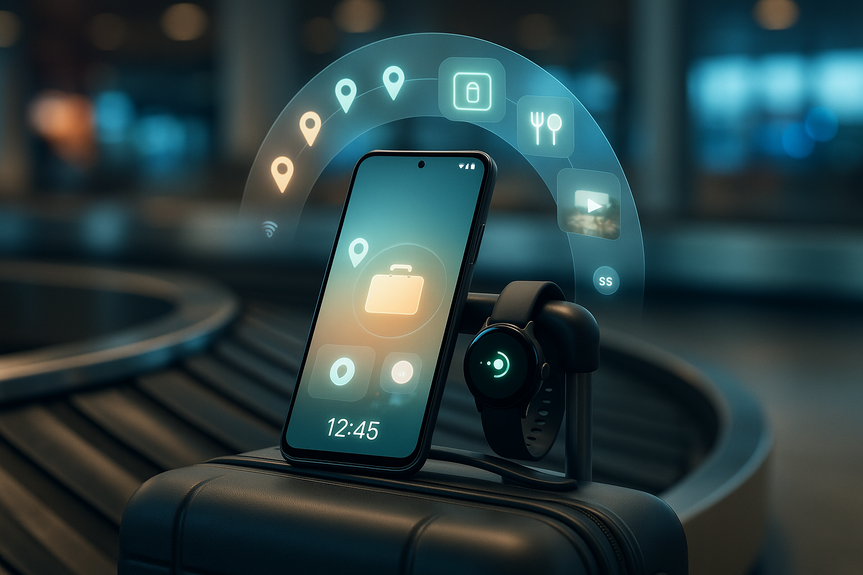
Help airlines find your lost luggage
Find Hub now works with select airlines to speed up baggage recovery, as long as your bag has a compatible tag or network accessory.
Attach a Find Hub–compatible tracker to your luggage before you travel.
If your bag is lost, follow the airline’s recovery steps and consent to share the tracker’s location.
Turn off sharing after your bag is returned.
Note: Google says it has partnered with 10 airlines. Check your carrier’s support page for availability.
Make calls look better with a Calling Card
You can design a simple, friendly card that shows your photo, font, and color when you call friends who use Phone by Google.
Open the Phone by Google app.
Go to Settings and look for Calling Card (or Caller ID Card).
Pick a photo, choose a font, and set a color. Save your card.
This is about recognition, not spam. It helps friends spot your call fast.
Explore apps faster with Google Play shorts
Google Play now shows short videos that demo apps and games. Use these clips to see how an app looks before you install.
Open Google Play and scroll your home feed.
Tap a short to watch, swipe to browse more, and tap through to the app page if you like what you see.
These clips can save time and reduce uninstall churn by showing real use before you download.
Smarter search and shopping on Pixel phones
Circle to Search gets better at try-ons and shopping from video
Search what you see without leaving the app you’re in. Now it handles virtual try-ons and fashion finds from social videos more smoothly.
On a Pixel phone, long-press the home bar or button to launch Circle to Search.
Circle, scribble, or tap the item on your screen (like shoes in a video).
Browse results, try virtual try-ons when available, and compare prices.
This is great for quick checks: What is that jacket? Where can I buy it? Is there a cheaper option?
Magic Cue now suggests restaurants
Magic Cue, which launched on the Pixel 10, can offer nearby dining ideas.
Open Magic Cue in a supported Pixel app (look for the Magic Cue prompt or button).
Type a clear request, like “best ramen near me under $20” or “kid-friendly pizza tonight.”
Review the recommendations and tap for maps, menus, or calls.
Keep your request simple and specific for better suggestions.
Create AI-generated app icons on your home screen
Give your home screen a fresh and consistent look with AI-made icons in six styles.
Long-press your home screen and open Wallpaper & style (or similar).
Find App icons or Icon style, then choose Generate or Custom icons.
Select a style and apply. Adjust per app if you want more control.
If you change your mind, you can always switch back to your original icons.
Pixel Watch upgrades for safety and payments
Get alerts if you leave your phone behind
Your Pixel Watch can warn you when your phone is left behind or lost.
On your watch, open Settings and look for Safety or Connectivity options.
Enable lost/left-behind alerts for your phone.
Test it at home so you know how notifications feel on your wrist.
Use Express Pay on your wrist
Pay faster without unlocking extra screens.
On your watch, open Google Wallet.
Add a card if needed. Then enable Express Pay in Wallet settings.
Hold your watch to the terminal to pay where contactless is accepted.
Always lock your watch with a PIN for payment security.
Stay safer with earthquake alerts and Satellite SOS
Pixel Watch adds new earthquake alerts, plus broader access to Satellite SOS in Europe, Canada, Hawaii, and Alaska.
Open the Safety app on your phone or watch and review alerts.
Set up emergency contacts and medical info.
For Satellite SOS, follow the on-screen setup. Know it works outside cellular and Wi-Fi, but only in supported regions.
Practice the SOS flow so you can use it under stress.
Privacy, setup, and compatibility tips
Update first: Install the latest system update on your Pixel phone or watch, and update Google apps from the Play Store.
Manage sharing: In Find Hub and Messages, review your active shares and turn them off when done.
Check support: Some tools, like Magic Cue restaurant suggestions and Satellite SOS, may require specific devices, regions, or carriers.
Try, then tune: New icons, Calling Cards, and Play shorts are easy to test. If they don’t fit your flow, you can switch them off.
The bottom line: the March 2026 Pixel Drop features focus on real-life wins. You get faster finds, safer travel, and smarter help when you need it, plus fun style upgrades. Update your devices, try the tools that fit your day, and keep privacy controls close.
(Source: https://www.engadget.com/mobile/smartphones/google-introduces-find-hub-updates-and-more-ai-tools-in-the-march-pixel-drop-190000773.html)
For more news: Click Here
FAQ
Q: What are the main March 2026 Pixel Drop features?
A: The March 2026 Pixel Drop features bring smarter search, easier sharing, better safety, and fresh style across Android and Pixel devices. Highlights include live location sharing in Google Messages, Find Hub support for airline baggage recovery, upgraded Circle to Search, Magic Cue restaurant suggestions, AI-generated app icons, and Pixel Watch alerts plus Satellite SOS rollouts.
Q: How do I share a live location in Google Messages using Find Hub?
A: Open Google Messages and pick a conversation, then tap the plus icon or attachment button and choose Location or Find Hub to share a real-time location. You can stop sharing at any time from the banner or notification.
Q: Which airlines work with Find Hub for lost luggage and what do I need to use it?
A: Google has partnered with 10 airlines to integrate Find Hub locations into baggage recovery, and you should check your carrier’s support page for availability. Your missing item must have a Find Hub–compatible tag or network accessory and you must consent to share the tracker’s location with the airline.
Q: What improvements does Circle to Search bring for shopping and try-ons?
A: Circle to Search is easier to use for virtual try-ons and for shopping from videos or social posts, letting you search what you see without leaving the app. On Pixel phones, long-press the home bar or button, circle or tap an item on screen, then browse results and try virtual try-ons when available.
Q: What is Magic Cue and how can it help with restaurant recommendations?
A: Magic Cue, which debuted on the Pixel 10, can offer nearby dining ideas when opened in a supported Pixel app and accepts simple text requests. The recommendations link to maps, menus, or calls so you can review options and act on them.
Q: How do I create AI-generated app icons on my home screen?
A: Long-press your home screen and open Wallpaper & style (or similar), then find App icons or Icon style and choose Generate or Custom icons to pick from six AI styles and apply them. You can adjust icons per app or switch back to your original icons if you change your mind.
Q: What new safety and payment features arrive for Pixel Watch with this update?
A: Pixel Watch gets alerts if your phone is lost or left behind, access to Express Pay via Google Wallet, new earthquake alerts, and expanded Satellite SOS availability across Europe, Canada, Hawaii and Alaska. To use Express Pay you add a card in Wallet and enable the feature, and the article recommends locking your watch with a PIN for payment security.
Q: How should I prepare my devices and manage privacy for the March 2026 Pixel Drop features?
A: Before using the March 2026 Pixel Drop features, update your Pixel phone or watch and update Google apps from the Play Store, then review sharing controls in Find Hub and Messages so you can turn off shares when finished. Also check device, region, and carrier support for certain tools like Magic Cue restaurant suggestions and Satellite SOS, and try new features before making them permanent.